Kadmo in Jira, Slack and Teams, light mode and reporting
Ask Kadmo in a Jira comment, a Slack channel or a Teams chat. The app in light and dark, reporting set per account, and the Kadmo Agent Runtime on npm.
On this page 7 sections
In short
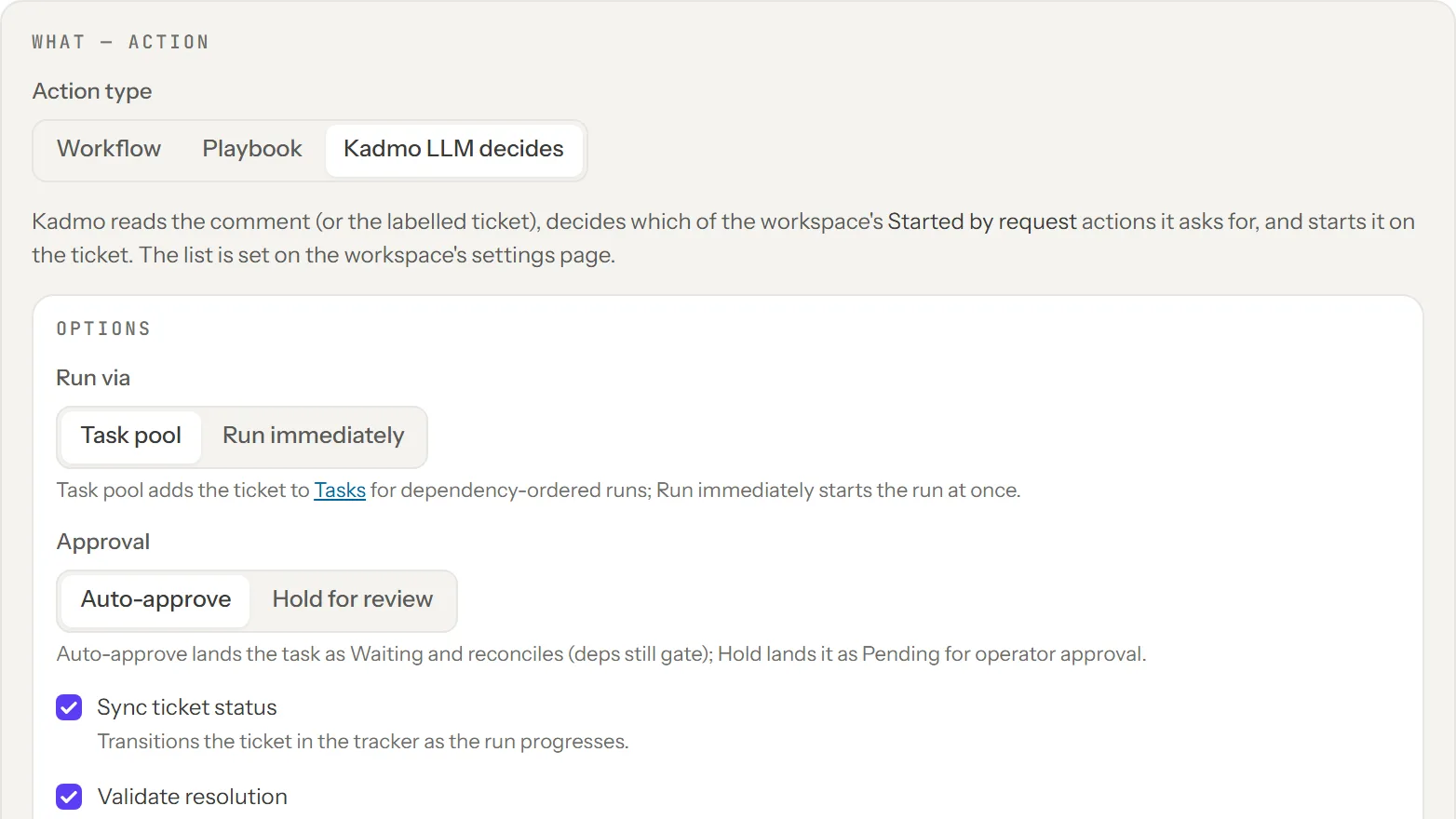
- Ask Kadmo in a Jira comment, a Slack channel or a Teams chat: it decides, starts the allowed playbook and answers in the thread.
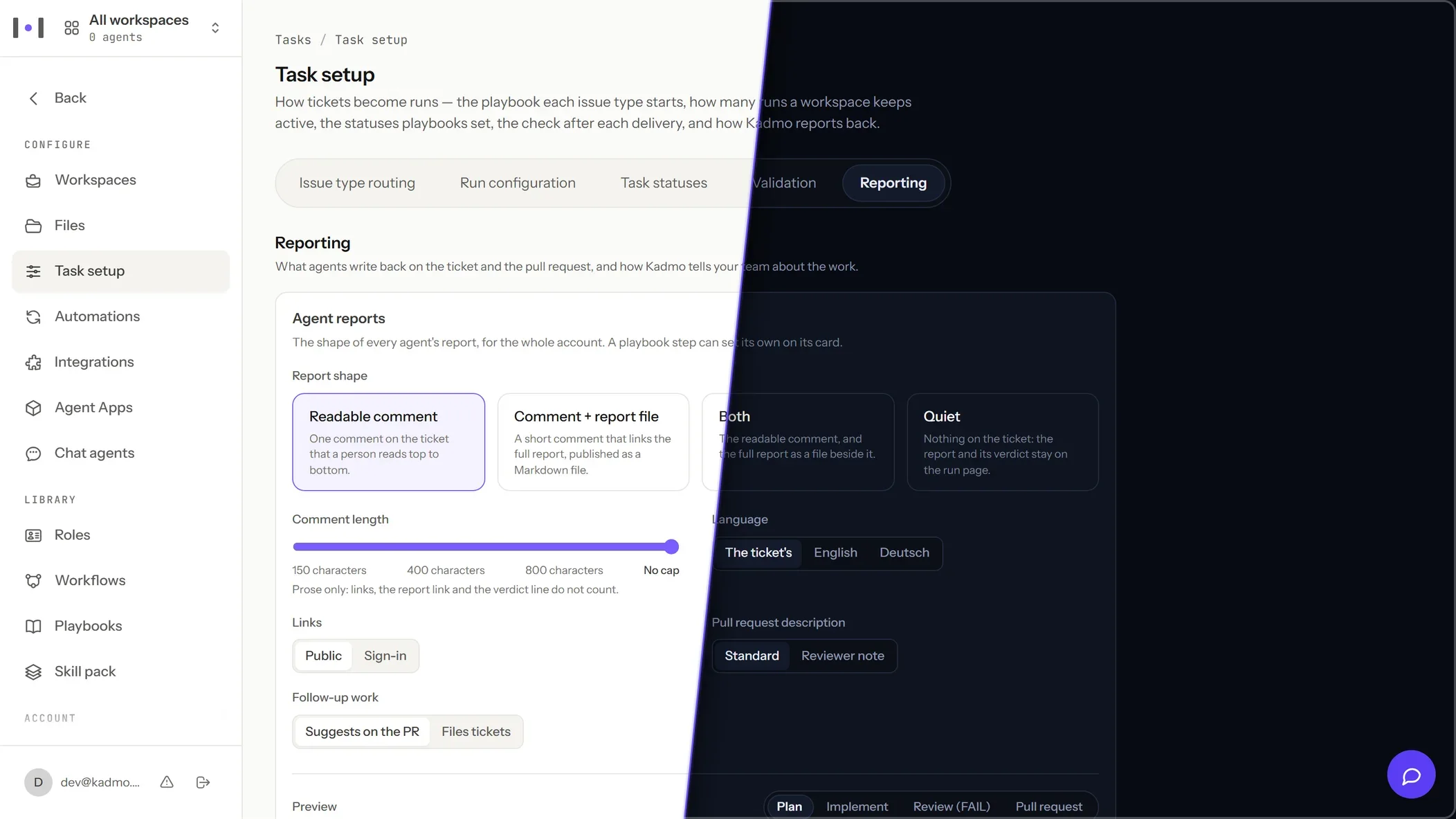
- The app in Light and Dark, following your system by default; each member picks System, Light or Dark.
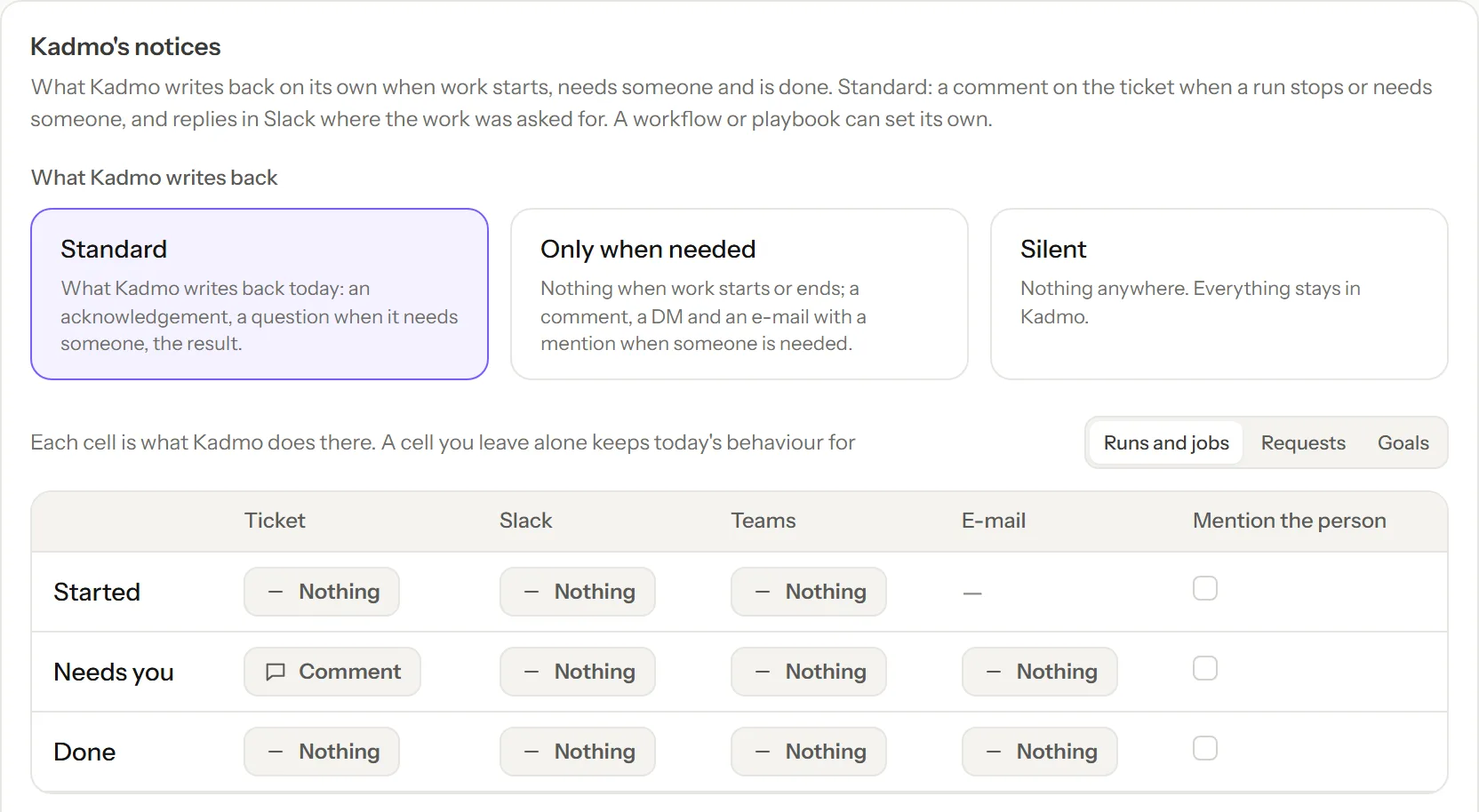
- Reporting: the shape of agent reports and Kadmo's own notices at Started, Needs you and Done, set per account, workflow and person.
- GPT models on the Kadmo provider, your own keys on Enterprise, and the Kadmo Agent Runtime with its MCP server on npm.
The first release opened app.kadmo.ai on 7 October. This one is about where you meet Kadmo: in the tracker and the chat you already use, in the light or dark your system runs, and in what comes back to you once an agent has worked. Everything here reaches every account at once; there is nothing to install or upgrade on your side.
Ask Kadmo in Jira, Slack and Teams
Write @kadmo and what you need in a comment on a ticket, or add the rule’s label, and Kadmo decides which of the playbooks and workflows your workspace allows the request is asking for, starts it, and answers on the ticket. When the work ends, the ticket gets a ✓ or an ✗ and what came of it. If Kadmo cannot tell what you mean, it asks, and your next comment is the answer. How this compares with one coding agent per developer is on the Codex alternative page.
A message in a registered Slack channel or a Teams chat goes through the same decision, against the channel’s or the workspace’s list, and the answer follows in the Slack thread or the Teams chat. In Teams you confirm before anything starts.
Each workspace lists what a request may start and who may ask. Under Team › People, a person’s Jira and Slack users are linked to them, and their own list can be narrower than the workspace’s. The decision is two small calls on your account’s provider; without a provider, Kadmo answers with its menu instead.
The app in light and dark
Every page of the app now stands on one design system, in Light and in Dark: the fleet, jobs and tasks, runs, workspaces, playbooks, chat, goals, settings and integrations share the same type, components and frame. From this release the app follows your system’s setting, and under Settings › Appearance each member picks System, Light or Dark for their own browser. The choice applies at once.
Reporting: what comes back, and where
Task setup › Reporting is one page for what comes back from the work. Agent reports set the shape of the report an agent writes on a run’s ticket and pull request, its details and a preview, for the account, and a playbook step can set its own. Kadmo’s notices set what Kadmo itself writes at Started, Needs you and Done, on the ticket, in Slack, in Teams and by e-mail, with the presets Standard, Only when needed and Silent, and a workflow or a playbook can override them. Each person turns their own Slack DMs, Teams DMs and e-mails on or off under Settings › My notifications. Nothing changes until an admin changes it.
A report also renders where people read it: a shared report link opens as a page, and the run and job pages show each step’s report.
More models from one account
The GPT models serve from Kadmo’s own OpenAI project in the United States, on the Kadmo provider and in the picker with where they run. An Enterprise account can connect its own OpenAI or Anthropic key instead, and every chat, chat agent and agent job then runs on it, through the same gateway, at no Kadmo price. The models and their prices are on the pricing page.
The Kadmo Agent Runtime and its MCP server
The Kadmo Agent Runtime is the part of Kadmo that runs on a computer. Every Kadmo agent runs it, and now you can too: it is one npm package, @kadmo/cli, holding the kadmo command, the agent service with its dashboard, and the MCP server.
npm install -g @kadmo/cli
claude mcp add kadmo-agent -- kadmo mcp
Register kadmo mcp as kadmo-agent with Claude Code, Claude Desktop, Codex, Cursor, VS Code, Windsurf or Gemini CLI. The client starts it itself, over stdio, with no token: it can then run your workflows, read your skill packs and their role guides as resources, upload artifacts, and drive your Chrome through the Kadmo extension. Beside it, kadmo remains your account’s MCP server at app.kadmo.ai/mcp, so one client holds both: your account and the runtime on your computer.
The package is compiled and ships no packs. They come from the Kadmo app, the public catalogue, a registry, a git repository or a folder, each installed once per domain with its layer, so an account’s pack extends the library’s and never fights it. kadmo serve starts the agent service on localhost:9876 with the dashboard: the installed packs, the workflows, the run logs and the settings.
The documentation at docs.kadmo.ai
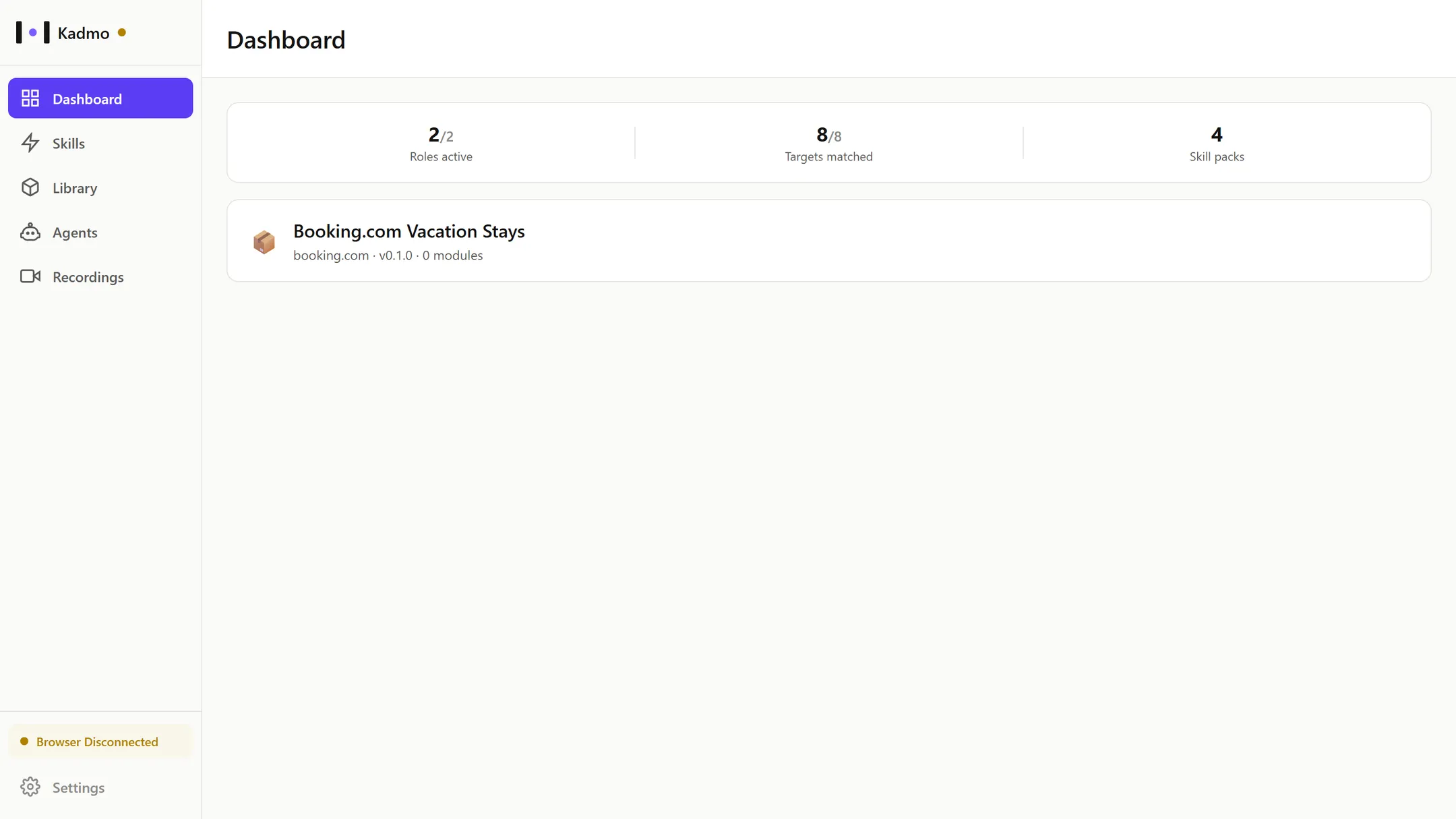
Kadmo’s documentation has its home: the app page by page, agents, workflows and playbooks, skill packs, integrations, the MCP servers, models and credit, and the runtime.
Also in this release
Action needed
- An existing Slack app needs the new scopes and a reinstall before Slack messages reach Kadmo LLM decides and the people picker.
- Teams: a workflow added after a list was saved is no longer included on its own; tick it in the list.
Improved
- Goals: the Chats column opens a chat at once, with the model select in its header, and streams the answers.
- The goal record counts every attempt of every step, and a pull request’s commits count as one.
- Usage is metered per API call, with the cache tiers the model used, on every usage surface.
- Report files are numbered and named by Kadmo, and an agent cites a report by its number.
- A run’s Needs you comment waits two minutes and is skipped when the run has moved on.
- The create-agent wizard names the real launch error, and asks for another name only when the name is taken.
- A ticket’s priority from Jira, Linear or Notion shows wherever the ticket does and decides what starts first.
Fixed
- Agents on Hetzner, and on AWS without an agent subnet, launch from app.kadmo.ai and are reached at their public address.
- Nothing is held from your credit: work runs while the balance and the budgets have money left, and Reserved on the Billing page is an estimate shown for information.
- The direct link to an artifact’s file answers again.
- A Slack channel names the workspace its jobs run in.
- The pricing page lists only the Mistral models Mistral serves.