Platform Playbooks
Playbooks
A playbook is how one kind of ticket gets done: the steps in order, a role for each, and a gate between them that reads what the agent reported. Kadmo comes with playbooks for the usual kinds of work, and your admins can make any of them their own.

On this page 8 sections
What a playbook is
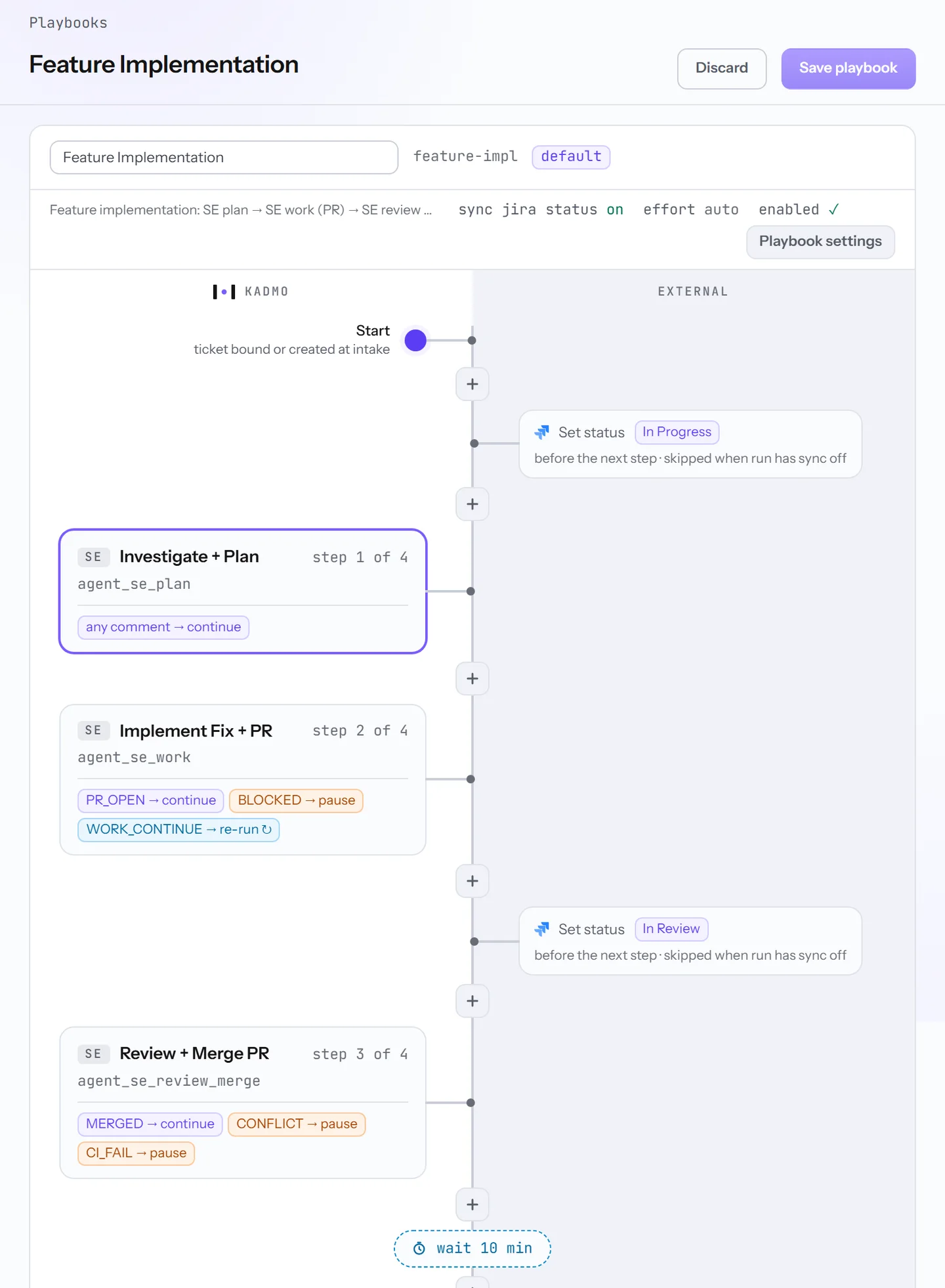
Each kind of ticket has its playbook. A step names a role and the workflow it runs, never a particular agent: when its turn comes, the step becomes a job of its own, with its own transcript and cost, and a free agent with that role picks it up.
Beside Kadmo’s lane the editor has an external one. A status block there moves the ticket in your tracker before the next step begins, unless the run has status sync off, and a wait block gives a deploy time to settle.
The issue type decides which playbook a ticket gets: a bug goes to Bug Fix, a story or a task to Feature Implementation, a hotfix to Hotfix. On Linear the first label decides.
Gates
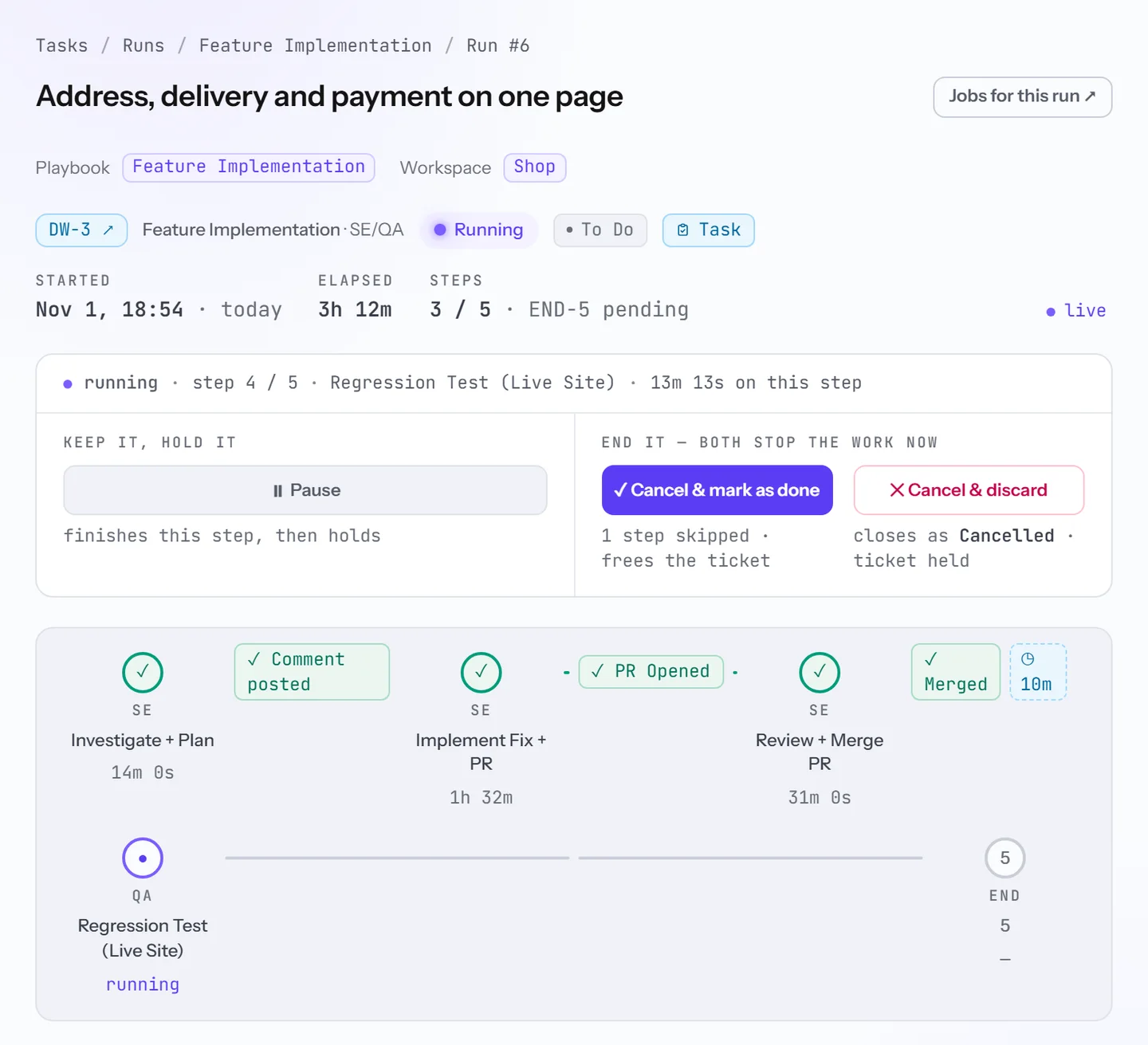
Every workflow names the verdicts its agent can report, and the step’s gate says what each one does. A gate lets the work move on, runs the step again, sends it back to an earlier step, closes the run, or holds it for a person. In Feature Implementation:
| Verdict | What the gate does |
|---|---|
PR_OPEN | The pull request is up, so the review step starts |
WORK_CONTINUE | The agent is not finished, and the same step goes to the next agent |
BLOCKED | The run waits for a person |
MERGED | The change is in, and the run goes on |
CONFLICT or CI_FAIL | The run holds until someone looks |
A verdict the step does not know pauses the run too, rather than letting it through, while a planning step can pass on any comment. At a merge Kadmo also asks GitHub, GitLab, Bitbucket or Kadmo Git, and a pull request it finds still open holds the gate whatever the comment says.
A paused gate looks again by itself when a late comment or merge arrives. On the run’s page a person can resume it, run the step again or override the gate. Work sent back reaches the earlier step with the gate’s findings and the pull request links.
The library
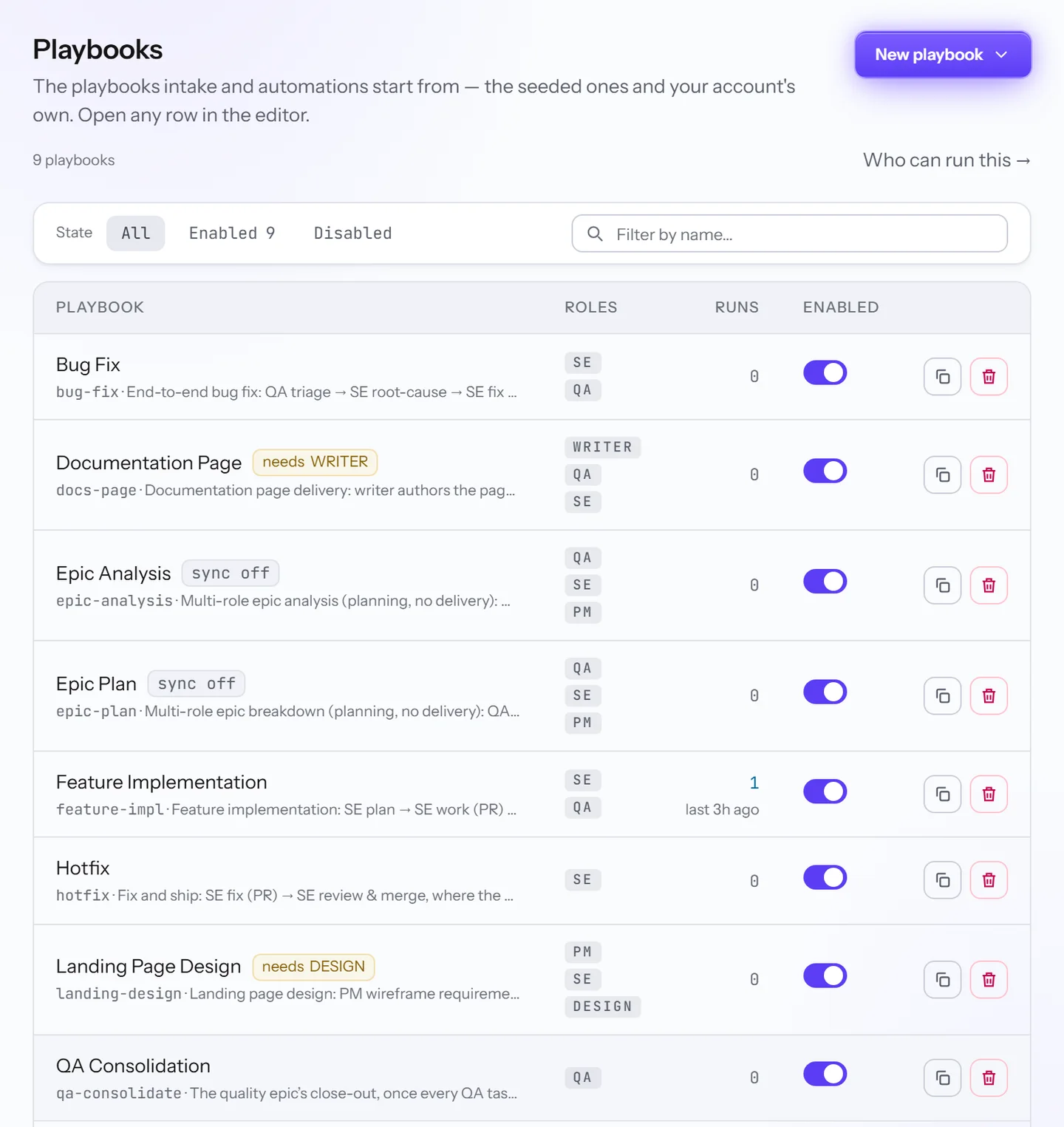
A new account gets its own copy of each playbook Kadmo seeds: Bug Fix, Feature Implementation and Hotfix for delivery, Epic Analysis and Epic Plan for planning, Landing Page Design and Documentation Page for pages, and QA Pass and QA Consolidation for testing. Admins tune them, copy one to change it, or start from a blank canvas.
A chip flags a playbook that needs a role none of your agents has yet, and intake offers only the playbooks your agents can run. Who can run this lists which agent takes which.
How a run starts
Most runs start on the Tasks page. Paste a ticket’s key or link, or describe a new problem and Kadmo files the ticket first. Tickets waiting in the task pool start in the order their blockers allow, as many at once as the workspace takes. A goal’s task rows start runs as well, and so can an AI client through Kadmo’s MCP server.
Automations start runs with nobody pressing a button. A rule turns an event in Jira, Linear, Notion, GitHub or Figma, or a schedule, into a run of the playbook it names. Connecting Jira or Notion adds such a rule for you, so assigning a ticket to Kadmo is enough. You can also ask in plain words, with @kadmo on a Jira ticket or a message in Slack or Teams, and Kadmo picks one of the playbooks the workspace allows.
What a run leaves on the ticket
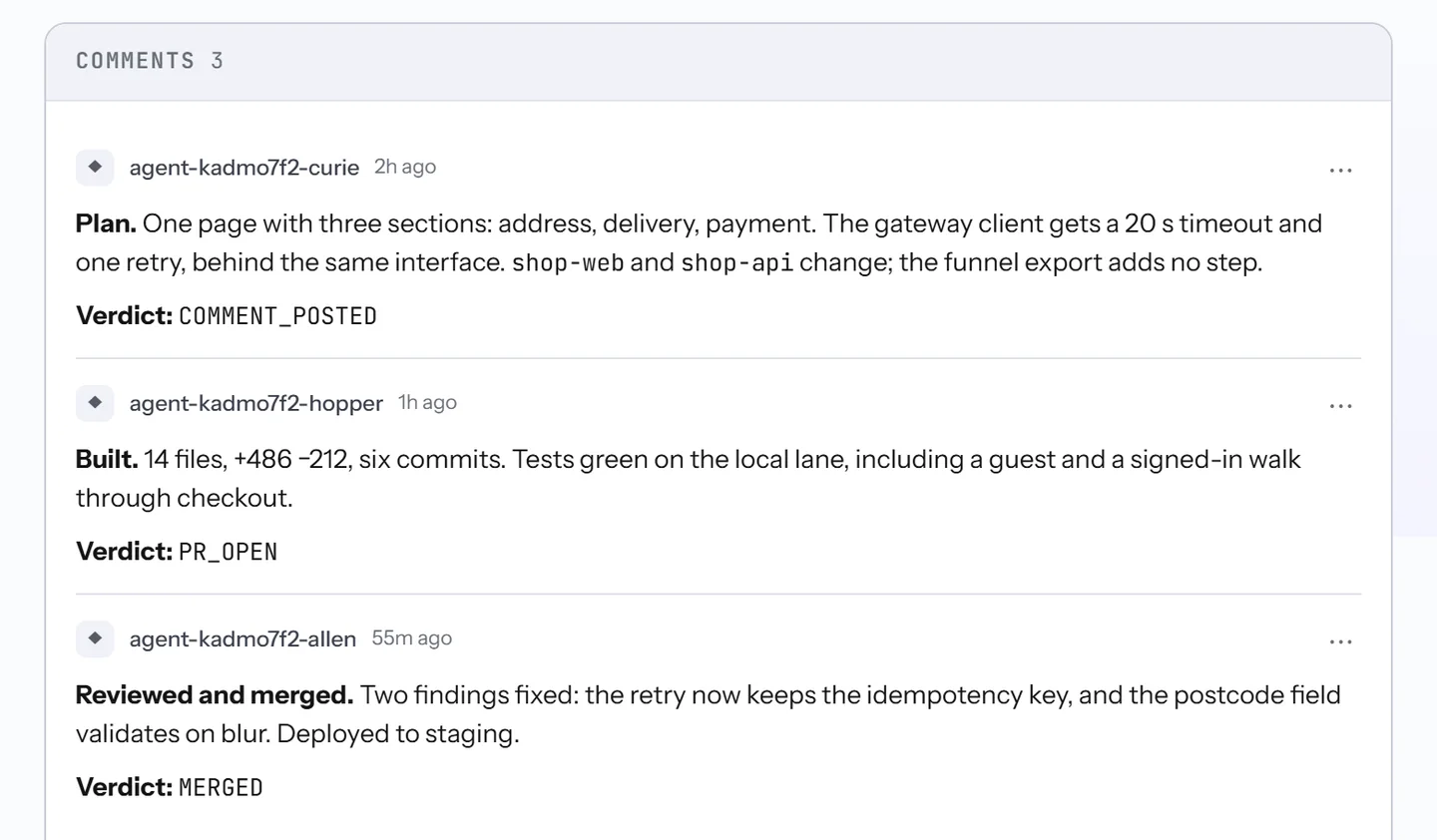
The ticket keeps the run’s record. Every agent step leaves its report there, by default one readable comment ending in its verdict, and that comment is what the gate reads. Status changes come from the playbook’s status blocks while sync is on, and a run that ends resolved moves the ticket to done, unless its last block sets a status of its own.
When a run stops and needs someone, Kadmo says so on the ticket after a short wait, and drops the note if the run moves on first. Whoever opens the ticket later sees who did what, and why the run went on. How much each report says is set on Reporting.
Questions
What happens when an agent reports no verdict?
On a ticket, a step that expects a verdict stops at its gate and waits for a person, and so does a step that leaves no report at all. Silence is never read as a pass, so an agent cannot wave its own work through by saying nothing.
Do playbooks need Jira?
No. A run works a ticket in Jira, Linear or Notion, or a task in Kadmo Issue Tracking when no tracker is connected.
Can one run use several agents?
Yes. Each step is a job of its own, taken by a free agent with the step's role, so one ticket can pass from agent to agent.
Who can change a playbook?
Your admins. Everyone in the account can open a playbook and read its steps and gates.
Set it up
The playbooks guide covers the editor, the gates, starting a run and the run page. Orchestrating agents explains the workflow behind each step, and Automations the rules that start runs on their own.
-
Goals
Name an outcome. Kadmo writes the epic, an agent plans it into tickets, and they run wave by wave.
-
AI coding agents
Agents in the roles you define, each on its own machine, on Kadmo or on yours.
-
Reporting
The report on the ticket, the notice in your chat, and a video of the job when you ask.