Voice chat, agent updates and parallel jobs
Speak to Kadmo in the chat, choose the models your account offers, attach files to an Ask, and let agents update on demand and run jobs in parallel.
On this page 7 sections
In short
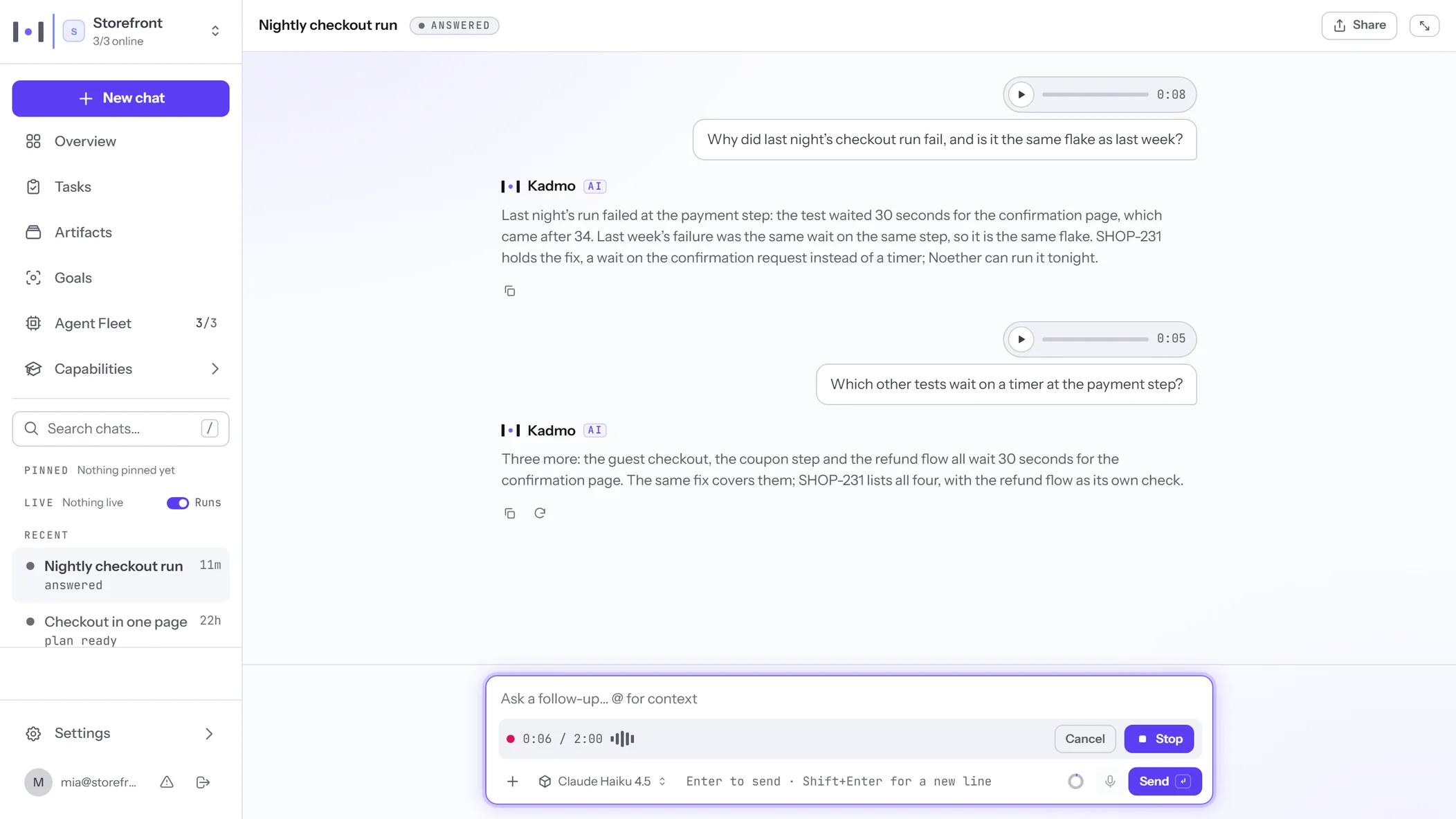
- Voice in the chat: say what you need, and your Voice item writes it down, on AssemblyAI through Kadmo in the EU.
- Settings › Models: every Kadmo model with its region and prices, your favourites first, and the models your account offers.
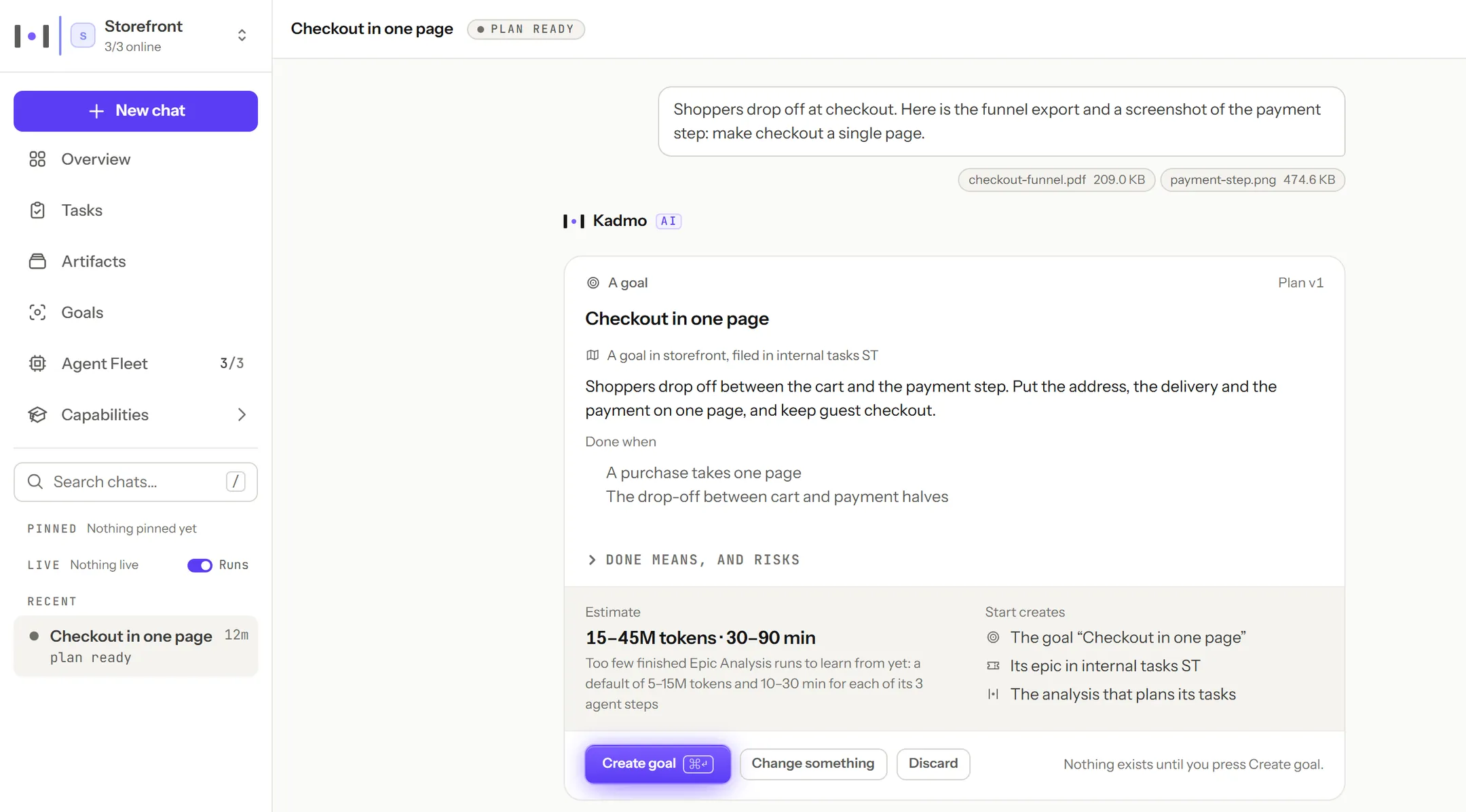
- Files in Ask, and a goal straight from the chat: Kadmo proposes it, you create it, and the chat follows the work.
- Agents update on demand, item by item, and run several jobs at once where their owner allows it.
The second release brought Kadmo into Jira, Slack and Teams. This one is about how you hand work over and what carries it: your voice and your files in the chat, the models your account offers, and agents that keep themselves current and take more than one job at a time. The app’s part reaches every account at once; an agent takes the new runtime when you run its Self Update.
Talk to Kadmo in the chat
Speak instead of typing. In the Ask box, an Ask thread or a goal’s chat, what you say is written down and sent as your message, so a request can start while you are away from the keyboard.
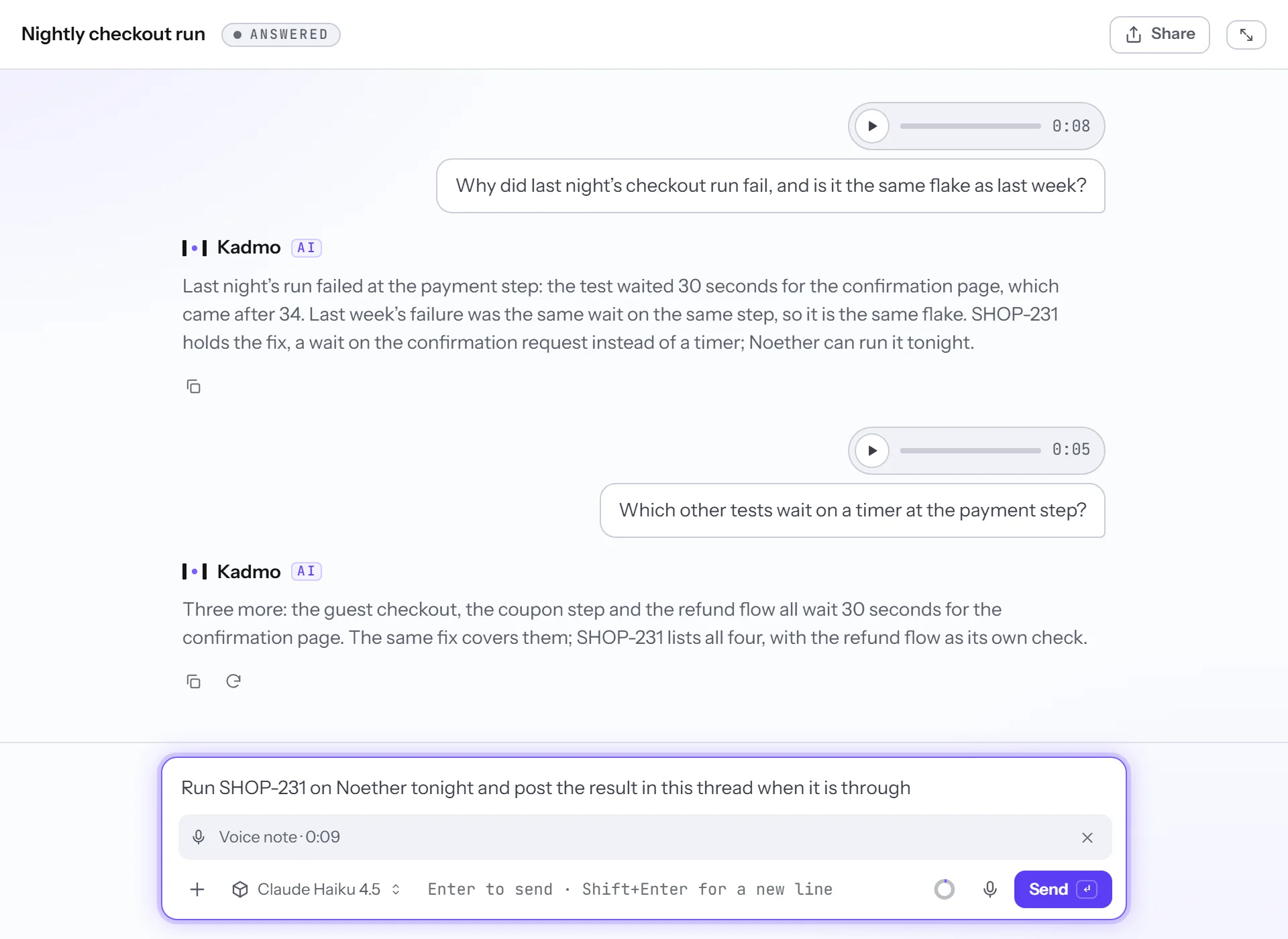
Voice is its own item under Integrations, on for every account. By default it runs on AssemblyAI through Kadmo in the EU, paid per second of audio from your Kadmo credit. On Enterprise, your own OpenAI key can write it down instead. The item holds your languages, English and German to begin with, and Names, which lets it know your workspace’s own names. A note runs up to two minutes.
Choose the models your account offers
Settings › Models lists every model Kadmo provides, under its provider: where it runs, its context and its price per million tokens. Each member stars their favourites, and starred models lead every model list they open. An admin decides which models the account offers with a switch per model, and makes one the default that Ask Kadmo, Slack, Teams and Goals answer on. How Kadmo blends these providers is on the OpenAI alternative page.
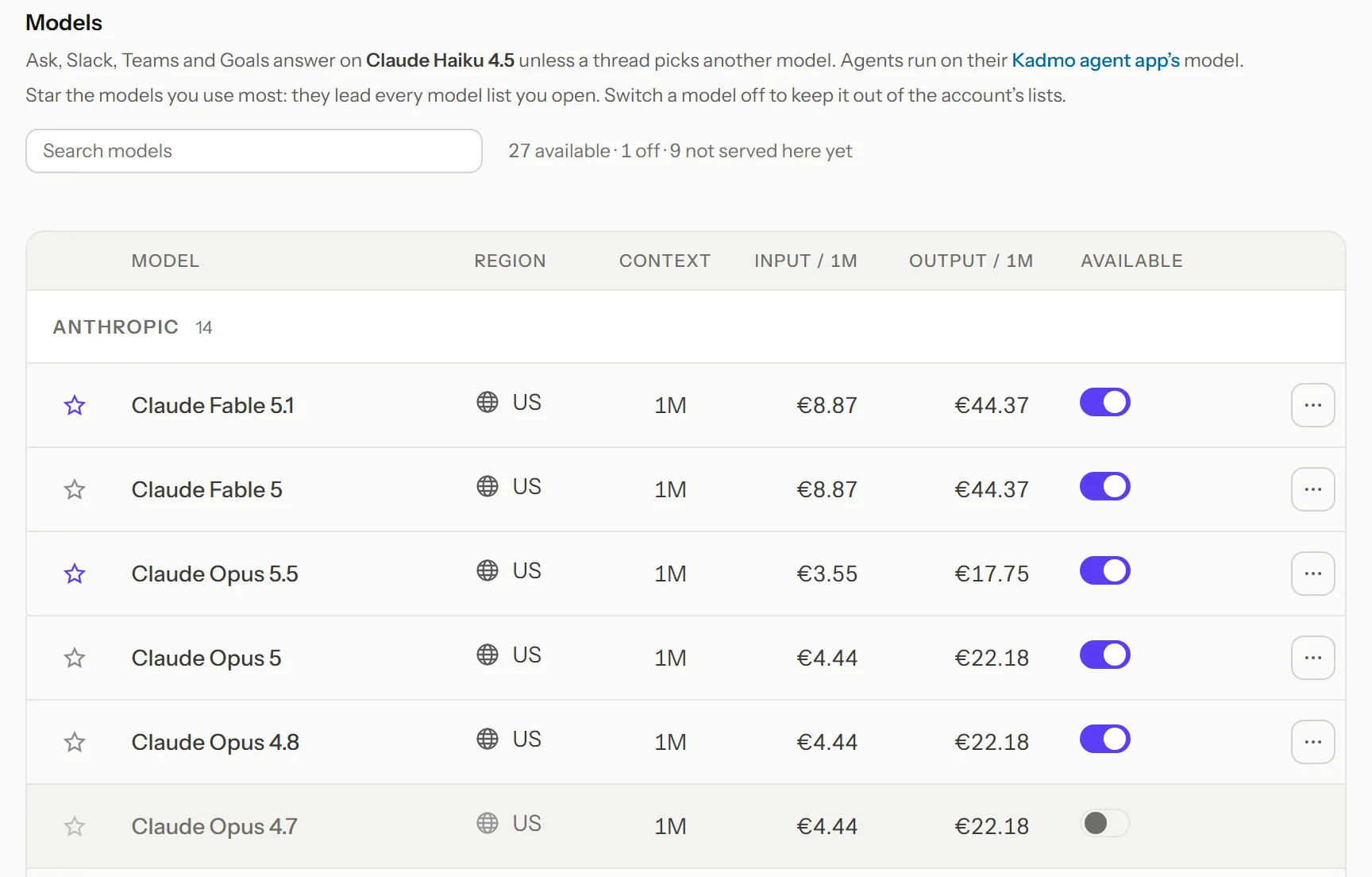
The picker now lists only the models that are ready to answer, your default and your favourites first. The tier of the least expensive models is now called Economy, in the app and on the pricing page.
Files in Ask, and a goal from the chat
Attach files to a question from the + menu, by dropping them on the Ask box or by pasting them, up to five files of 10 MB each. If the model you picked cannot read images or PDFs, the box says so before you send.
When what you ask is bigger than one task, Kadmo proposes a goal in the chat: its name, its brief, when it is done and the workspace it runs in. Create it, and the goal starts with its epic and its analysis, while the chat stays the goal’s own thread. You answer the goal’s questions there and press Start work when you are ready; nothing is built before that.
Agents that update on demand
An agent’s page now shows what it runs, item by item: its components, skills and files, the version each is at, and what is still on its way. Add a component to a running agent, retry one that failed, or add it to several agents at once. A change waits for a busy agent and lands when its job ends, so nothing restarts under a running job.
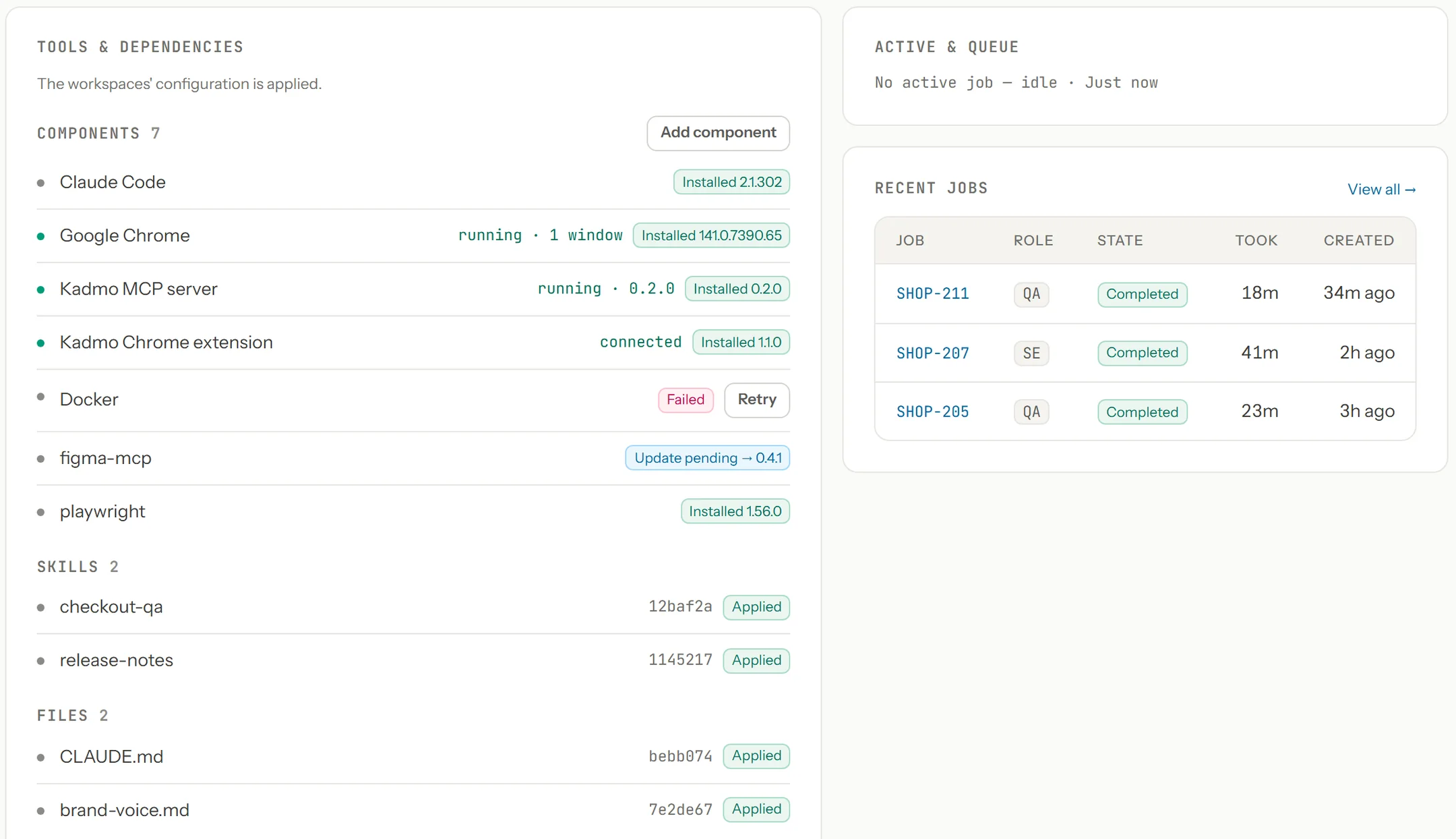
Self Update brings an agent to its pinned versions, or to the latest where nothing is pinned: the runtime, Claude Code and its components, with a rollback when a version does not come up. You run it when you choose, or turn on Auto Update Agent and the agent does it by itself. An agent that was running before this release takes part after its first Self Update.
Parallel jobs
An agent’s owner can now let it run several tracked jobs at once, one by default, and each workflow says whether it can share an agent. A second job on an agent never silences the first: each keeps its own context there. The fleet card shows how many of an agent’s slots are taken, and Dispatch Now asks before it goes past them.
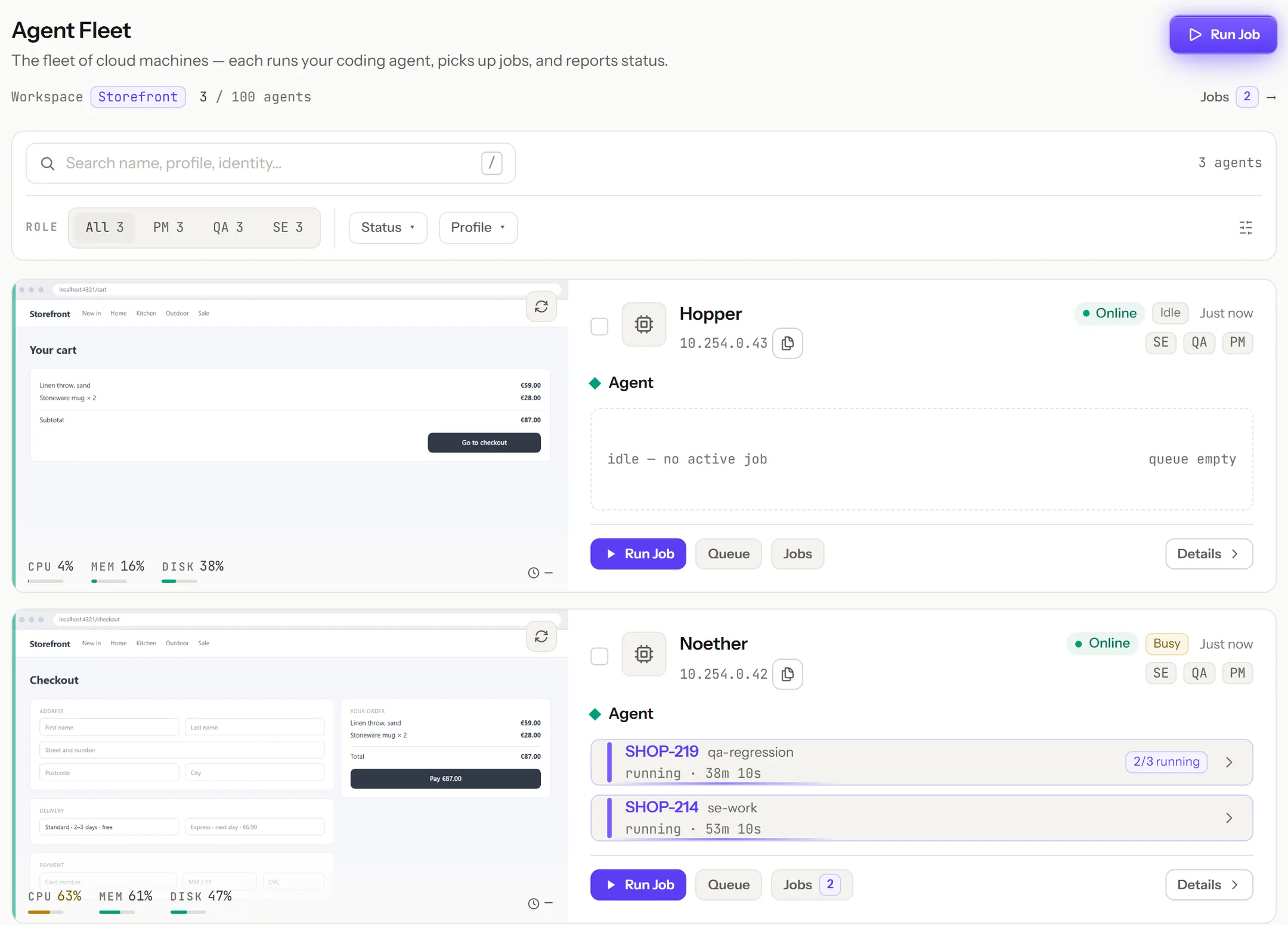
Parallel jobs need the Kadmo Agent Runtime 0.2.0 on the agent, which its Self Update brings.
Slack: files and threads
Post a file with your request in a registered Slack channel, a screen recording or a log, and it reaches the work: the agent reads it from Slack through a signed link when it needs it, and Kadmo keeps no copy.
A reply in a thread is now decided with the thread before it, so “continue” starts the step the last report proposed, with what was said further up. When the work ends, the thread gets the agent’s own report: the verdict, a summary and the links it chose.
Also in this release
Action needed
- Slack: add the
files:readscope to your Slack app and reinstall it, so files posted with a request reach the work. Socket Mode stays off. - Agents: run Self Update on an agent to bring it to the Kadmo Agent Runtime 0.2.0 and its components. Auto Update Agent stays off until you turn it on.
Improved
- Every internal task has its own page, with every field, its files and its thread.
- Goals show the day they shipped, and Open keeps the past day’s shipped goals.
- A goal’s analysis reads as formatted text, its sections and decisions included, on the goal page and in your tracker.
- Every job runs in a named workspace, and channels, automation rules, the run tools and the Run form say which.
- A job’s page streams the agent’s transcript while it runs.
- A Self Update ends within 20 minutes and reports what it changed.
- The Capabilities pages open faster.
- The fleet card keeps Connect out of the way until you hover the agent’s row.