Platform MCP servers
Hosted MCP servers
Keep your MCP server in a repository, and Kadmo builds and runs it. It answers at its own address behind your account's sign-in, your team connects from the clients they already use, and every push deploys it.

On this page 8 sections
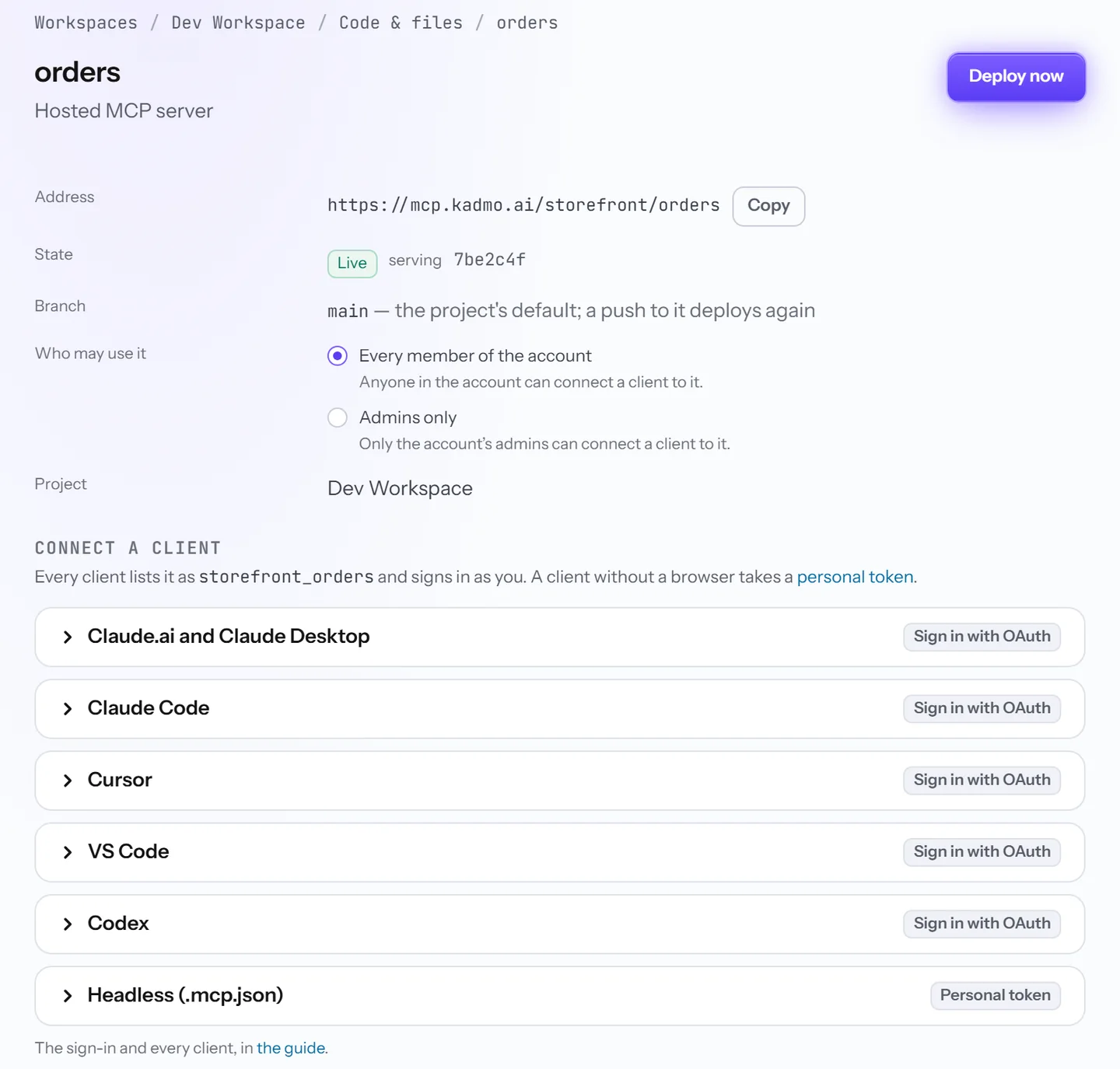
What Kadmo runs for you
An MCP server here is a Node.js project in a repository of one of your workspaces, on GitHub or on Kadmo Git. One file at its root, kadmo-mcp.json, says how to build and start it and what it needs:
{
  "name": "orders",
  "runtime": "node22",
  "install": "npm ci",
  "build": "npm run build",
  "start": "node dist/server.js",
  "repositories": [
    {
      "repo": "storefront/shop-api",
      "permissions": { "contents": "read", "pull_requests": "write" }
    }
  ],
  "env": ["ORDERS_API_URL", "ORDERS_API_TOKEN"]
}
An admin attaches it from the workspace’s Code & files tab, sets the values it reads, and deploys. From then on it answers at https://mcp.kadmo.ai/storefront/orders.
Who can connect
The members of your account, each signed in as themselves, and nobody else. You choose whether the server is open to every member or to admins alone.
Claude.ai, Claude Desktop, Claude Code, Cursor, VS Code and Codex sign in with OAuth, and a script or a CI job takes a personal token. In Claude Code it is one command, then Authenticate under /mcp:
claude mcp add --transport http storefront_orders https://mcp.kadmo.ai/storefront/ordersWhat your server is told
Every request has passed Kadmo’s sign-in before it reaches your server, and it arrives with headers that say who is calling. The member’s Kadmo token stays behind, so your server never holds it.
Kadmo-User-Email: mia@storefront.example
Kadmo-Account-Slug: storefront
Kadmo-Role: member
Kadmo-Client: Claude Code
Your tools can act for that person, and leave the admin tools out for a member. When the server works on GitHub, it asks Kadmo for a token narrowed to one repository its manifest names, so it keeps no GitHub key of its own. The other values it reads are set on its page, and nobody can read them back there.
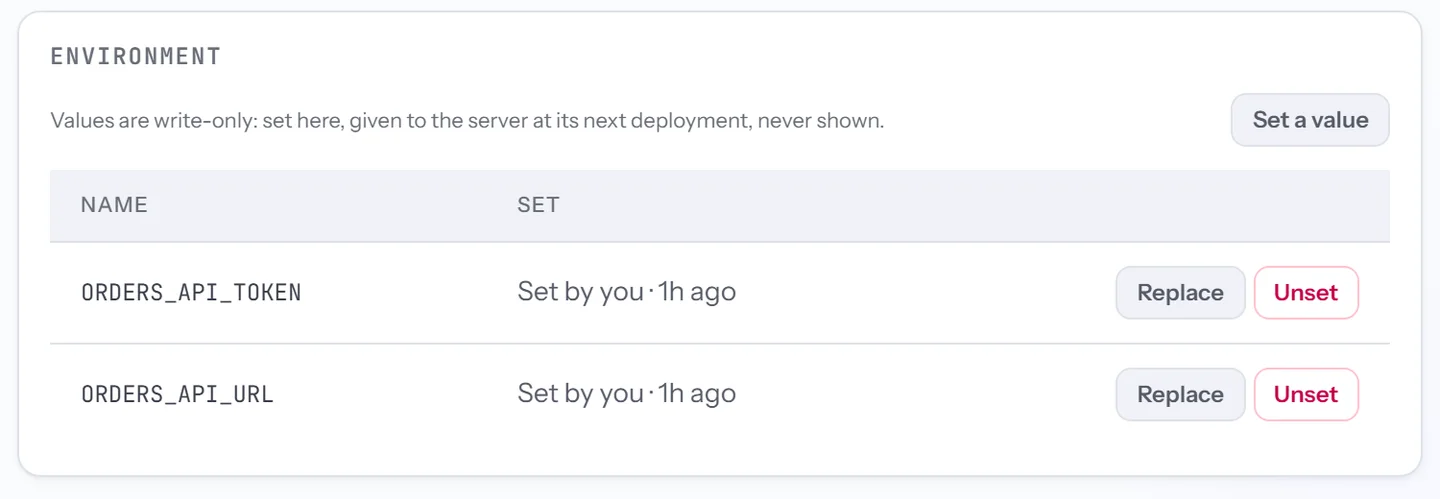
Every push deploys
A push to the server’s branch builds the new commit and moves traffic to it once it is ready. The running copy keeps answering until then, so your team sees no gap. A build that fails leaves the live copy serving and tells your admins, and Roll back returns to an earlier commit.
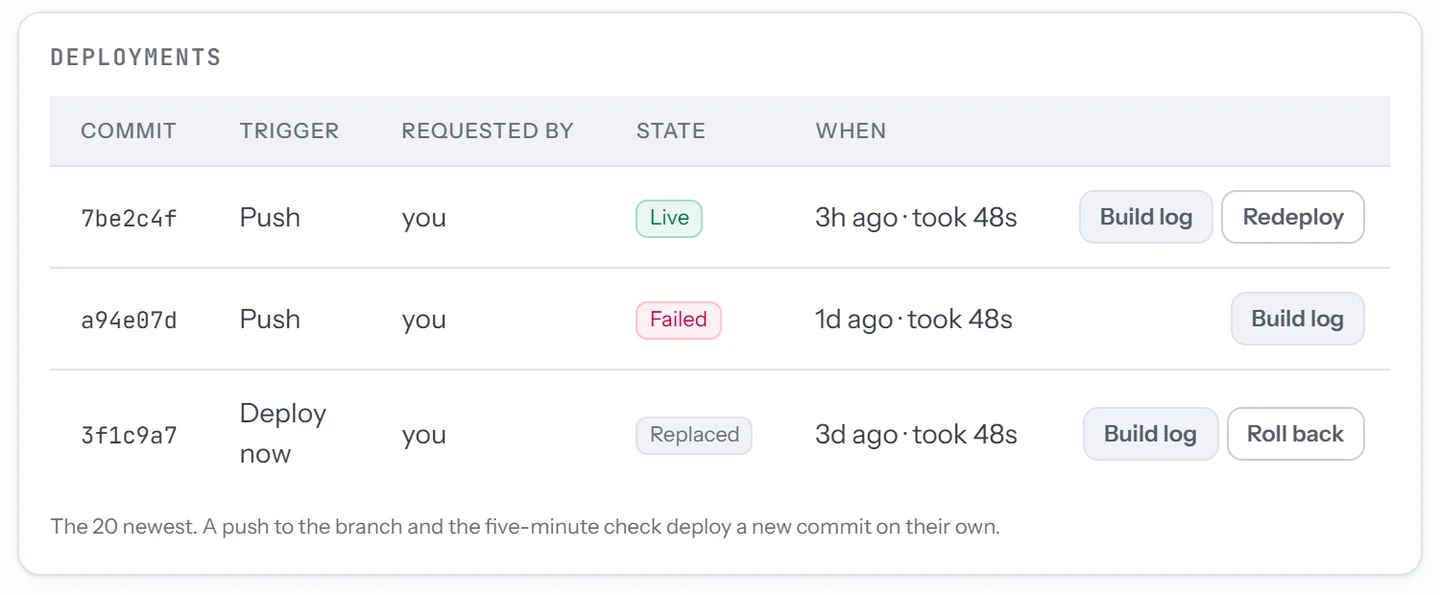
Kadmo’s own MCP server
Kadmo has an MCP server of its own at https://app.kadmo.ai/mcp, with the same sign-in. Connect a client to it and it can send your agents work, read tasks and runs back, and change your playbooks, skill pack and routing, as far as your role allows.
The server that writes and publishes this site’s blog is itself a hosted MCP server, run the way this page describes.
Questions
What can a hosted MCP server be written in?
Node.js 22 with npm, speaking MCP's Streamable HTTP with no session to resume. The MCP TypeScript SDK has a stateless mode that does exactly this.
Can anyone outside our account reach it?
No. Kadmo checks the sign-in before anything reaches your server, and refuses a member of another account.
Can it work on our private GitHub repositories?
Yes, on the ones its manifest lists and your account's GitHub App covers, with a token for one repository at a time that expires within the hour.
Set it up
The hosted MCP servers guide covers the manifest, what your server receives, each client's setup and the limits. For Kadmo's own server, read its overview and its tools.
-
Claude Code skills
Your account’s own marketplace: agents install it and developers connect to it.
-
Integrations
Jira, Linear, Notion, GitHub, GitLab, Slack and Teams, with results back in the ticket.
-
AI coding agents
Agents in the roles you define, each on its own machine, on Kadmo or on yours.