Kadmo is live: a free trial, the top models, and chats that hand work to agents
The Kadmo app is open at app.kadmo.ai, and its trial gives a work email 15 days and €5 of credit on Claude, GPT and Mistral models. Ask Kadmo from any page with ⌘K, chat in any role on any model, and hand an agent a ticket from the same chat.
On this page 5 sections
In short
- The trial: 15 days and €5 of credit on the models, for a work email.
- Claude, GPT and Mistral models from one account, priced per million tokens, with no second price for cached tokens.
- ⌘K asks Kadmo from any page; a new chat in a workspace takes any role and any model.
- Connect your cloud, add an agent, and hand it a ticket in the chat. It runs the playbook from there.
Kadmo runs AI coding agents as one managed fleet: clear roles, a playbook for every kind of task, and a gate at every handoff. Until now it came with a pilot and one of us at your side. From today you can start on your own, at app.kadmo.ai, in the time it takes to confirm an email.
Fifteen days, €5 of credit, nothing to connect first
Start a trial with your work email, and the account is yours for 15 days. It comes with what an account needs to answer in the first minute and to work on the first day: Kadmo’s own models, and €5 of credit for them. There is no key to paste and no provider to connect before the first question is answered.
The trial holds every page of the app and the models of the trial’s tier. When the 15 days are over, the account turns read-only until you choose a plan, and nothing you built is lost.
The top models, from one account
Kadmo provides the models. The current Claude, GPT and Mistral models are there from the first day, through Kadmo’s own gateway, and new ones join as they appear. You pay per million tokens, in euros, and there is no second price for cached tokens: an input token costs the input price whether the model read it fresh or from its cache. The Claude and GPT models are served from the United States, the Mistral models in the EU, and the model picker shows where each one runs before you choose it.
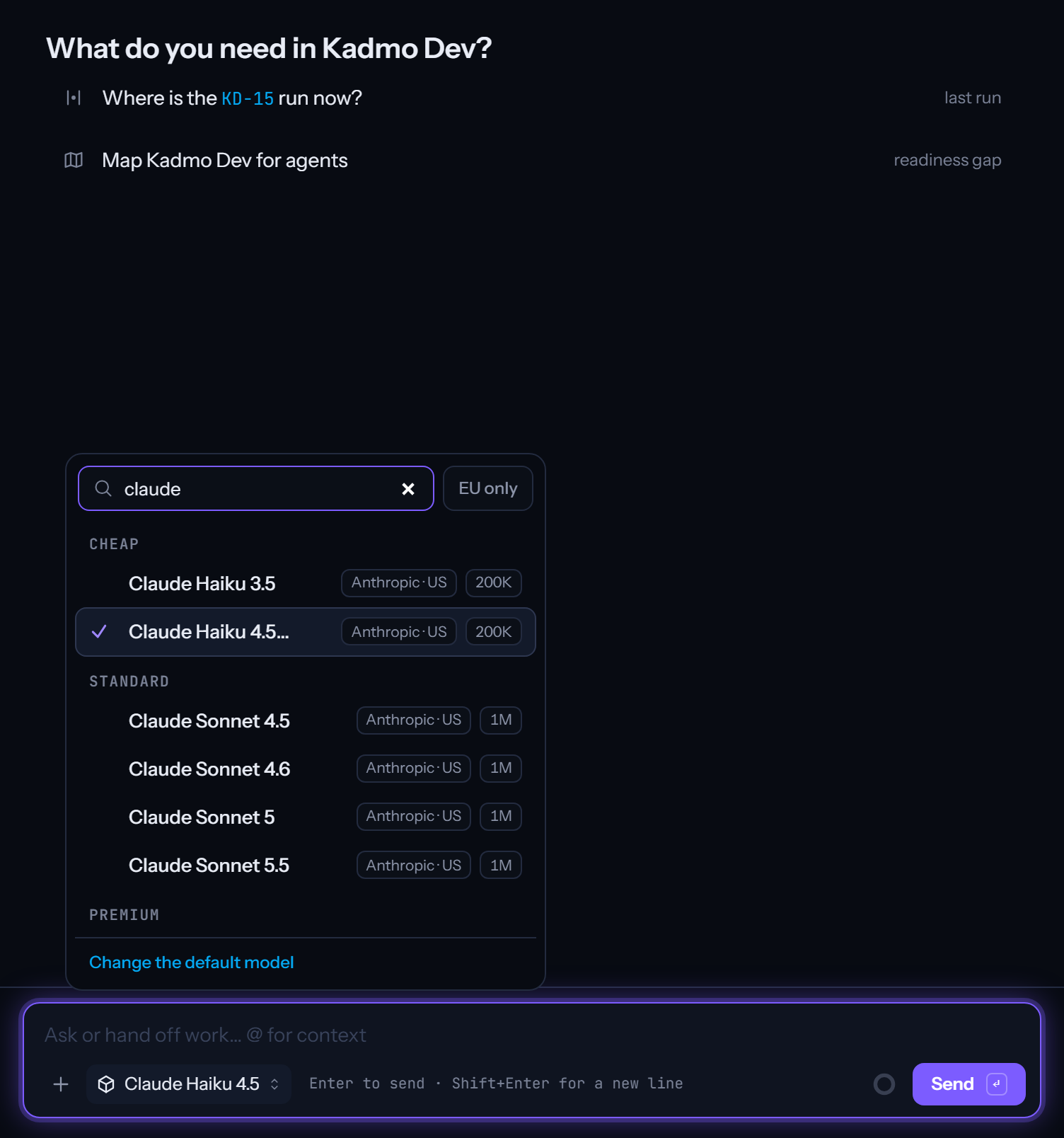
During the trial the credit buys the Cheap tier of the picker: Claude Haiku 4.5, GPT-6 Luna, Mistral Large 3, Devstral and Codestral among them. A paid plan opens every model. An Enterprise account can also connect its own OpenAI or Anthropic keys and keep the subscriptions it has.
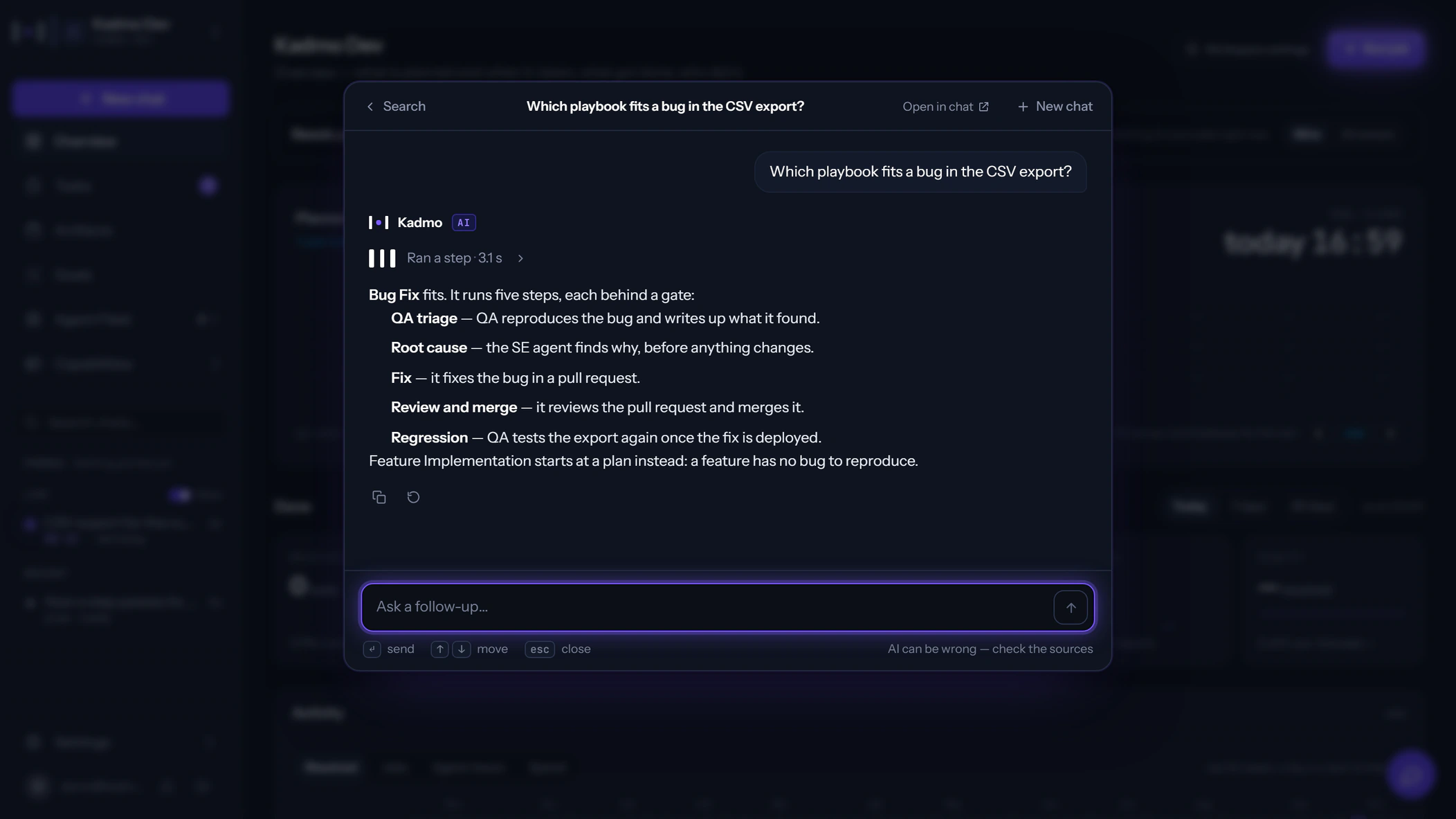
Ask Kadmo from any page
Press ⌘K, or Ctrl+K on Windows, anywhere in the app and one box opens. Type a question and Kadmo answers from your account: its documentation, its packs and the systems it is connected to, with the sources it used as chips you can open. Type the name of a page, an agent or a ticket and you jump to it.
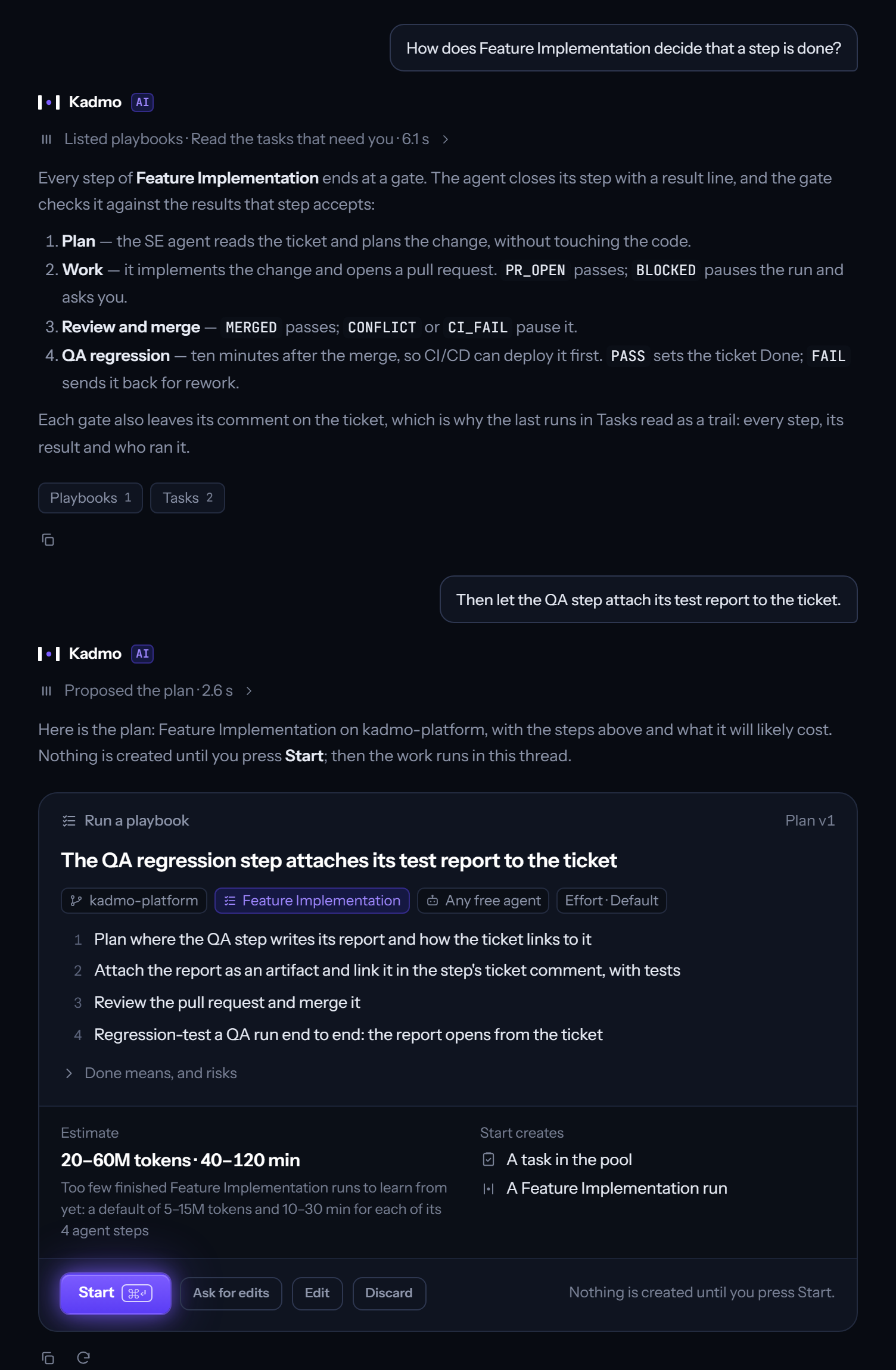
Type a piece of work and the answer is a plan: the repository and the ticket it is about, the playbook or the agent that will do it, the steps, how many tokens and how long it will likely take, and exactly what pressing Start will create. Nothing is created until you press Start. After it, the work streams into the same thread.
A new chat, in any role, on any model
Every workspace has a New chat. Pick a role, and the thread answers as that role, with the instructions and the knowledge about your software that the role carries: the product manager breaks a request down, the engineer reads the code, QA asks what would prove it works, the writer drafts the page. The roles are your account’s own, so a role you add is in the list the moment you save it.
Pick the model per thread, from every model your plan allows, and pick another for the next one. The rail lists your threads by workspace. A thread can be shared with colleagues in the account by link, any answer can be regenerated, and a meter shows what the thread has used so far.
From a ticket in the chat to a pull request
An agent runs on your own machines: connect your cloud account, add the agent in the fleet’s wizard, and it runs on your infrastructure and on Kadmo’s models, with the account’s credit. There is no key to give it.
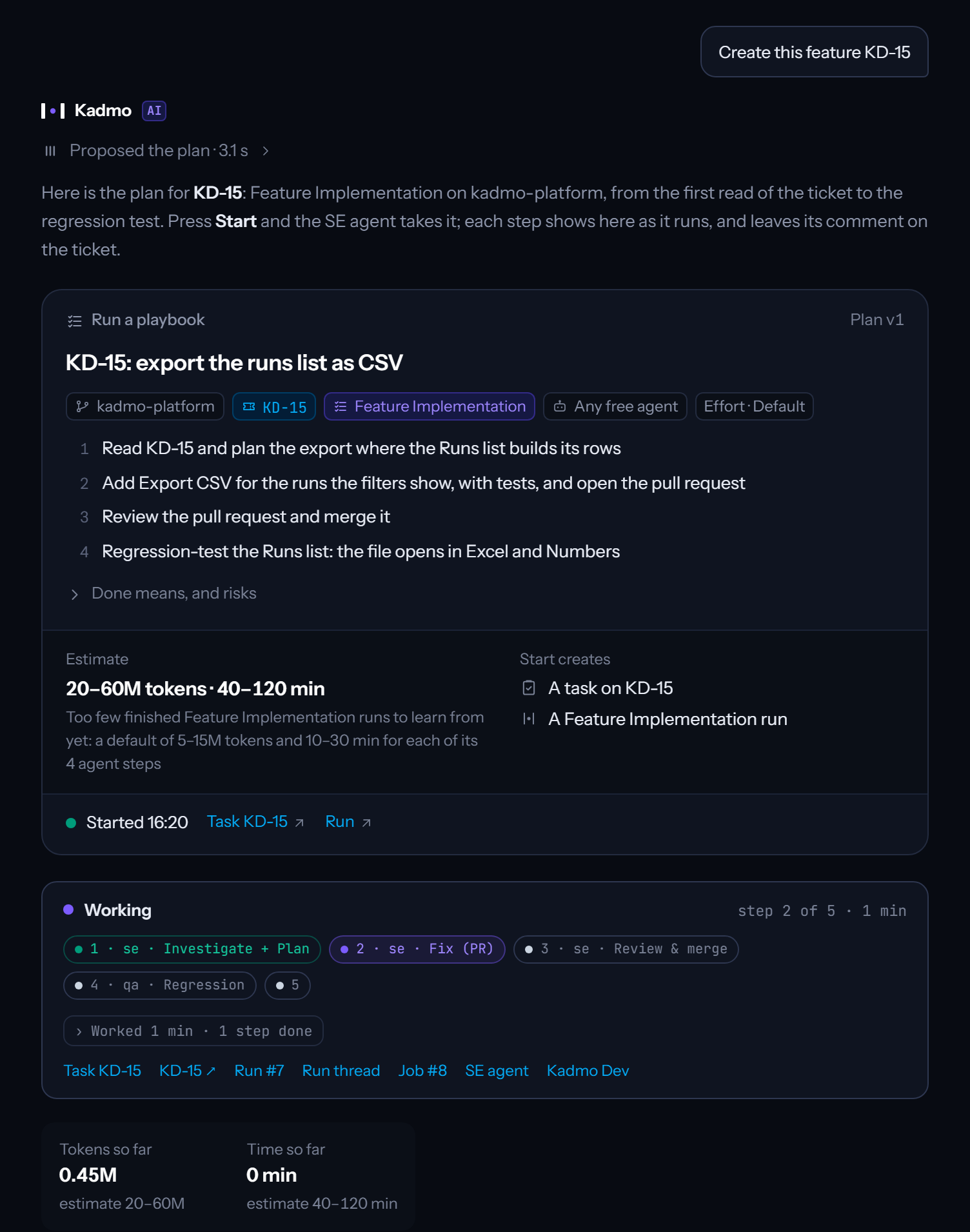
Then open a chat and write “Create this feature”, followed by the ticket’s link.
Kadmo answers with the plan: the Feature implementation playbook on that ticket, the agent that will take it, the steps from the first read of the ticket to the pull request, and the estimate. Press Start and the run begins. From there the thread carries the work: the step the agent is on, the gate it passed, the question it has for you, and at the end the link to the pull request. Every step leaves its comment in the ticket as well, so the people who never open Kadmo still read what was done and why. You review the pull request where you always do.
Start with the trial; the plans and prices are on the pricing page. For an Enterprise setup, with your own keys and your own gateway, book a meeting.
- Released
- Area
- Platform
- Released
- Area
- Platform