Platform Claude Code skills
Claude Code skills
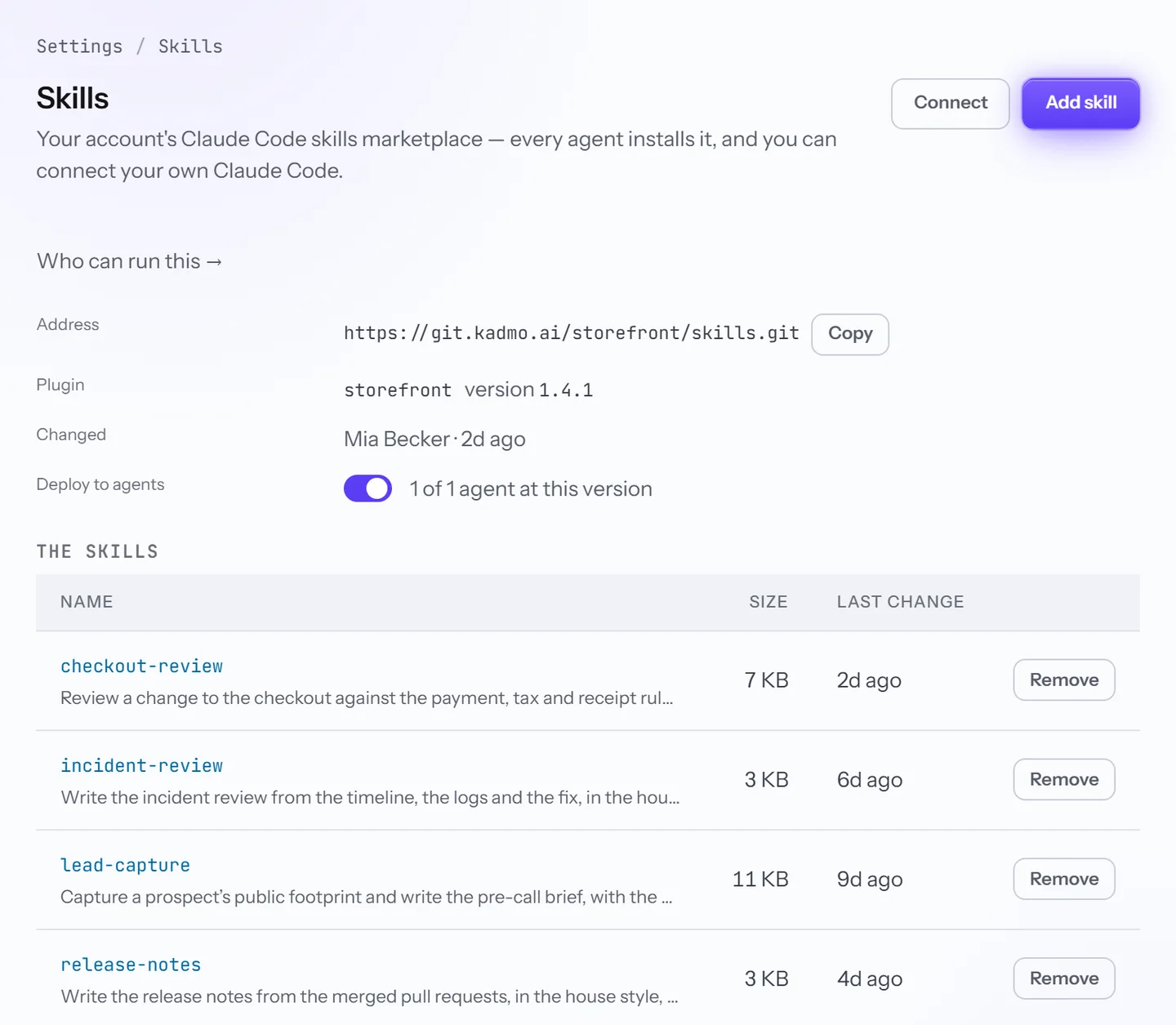
Your account has its own Claude Code marketplace. Write a skill once: every agent in the fleet installs it, every developer can connect to it, and the next version reaches both.

On this page 8 sections
What a skill is
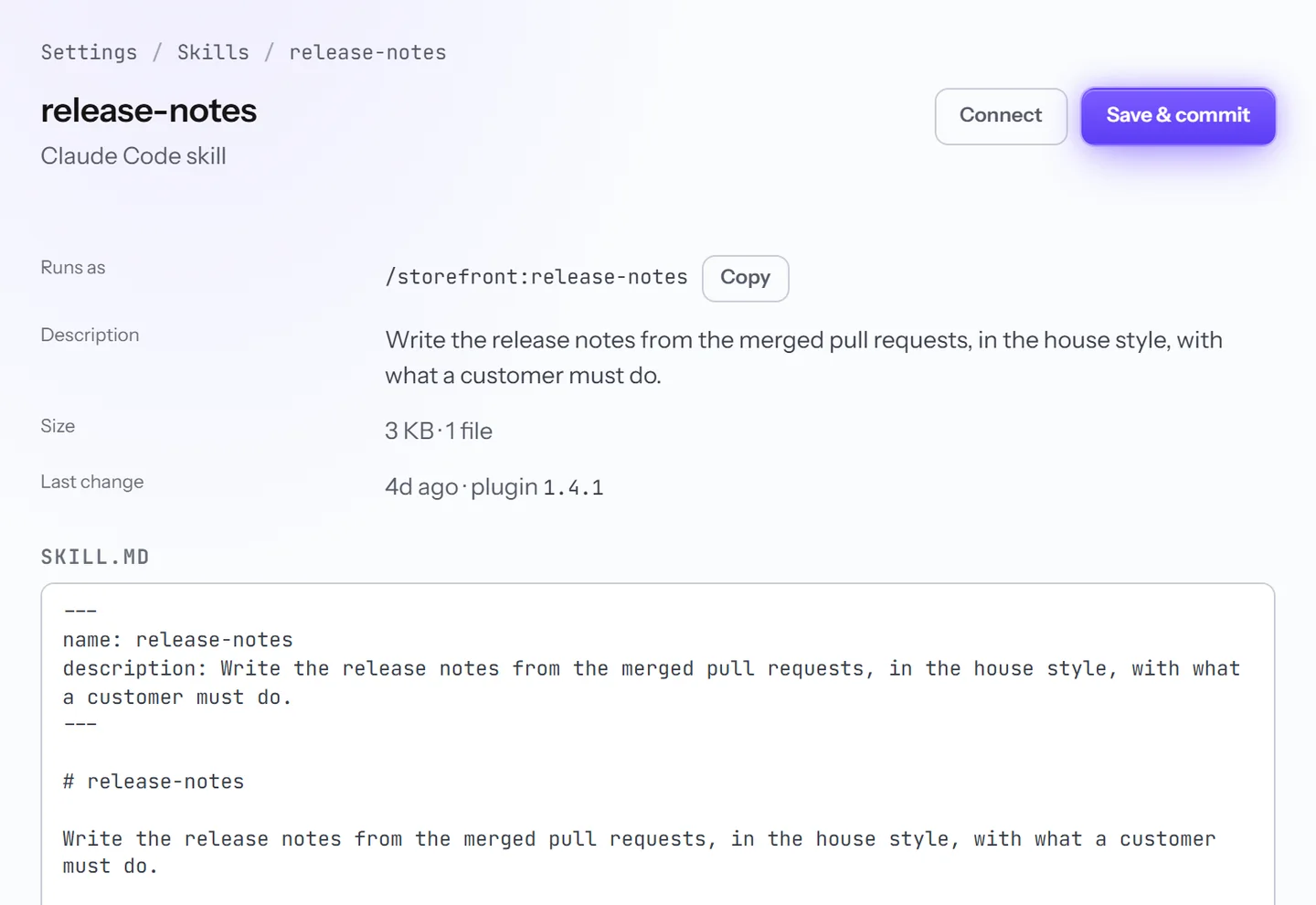
A Claude Code skill is a set of instructions in a folder: a SKILL.md, plus any files it needs. Claude Code reads the description and picks the skill up when a task fits, or you call it by name. In the account storefront, the skill release-notes is /storefront:release-notes.
How skills reach your team
The marketplace is one repository on Kadmo Git, holding one plugin. Agents and developers install the same plugin, so a command means the same thing on an agent and on a laptop.
| Agents | Developers | |
|---|---|---|
| How they get it | Kadmo installs it, with nothing to set up on the machine | A member connects their own Claude Code with a personal git token |
| When a new version lands | An idle agent updates at once, a busy agent when its job ends | With one command, or by itself where your team’s settings turn on auto-update |
| Where you check it | On the agent’s page: installed, on its way or failed | In Claude Code, which applies an update when it reloads |
A developer stores the token where git finds it, then runs two commands. Connect on the Skills page shows them with your account’s names filled in:
claude plugin marketplace add https://git.kadmo.ai/storefront/skills.git
claude plugin install storefront@storefront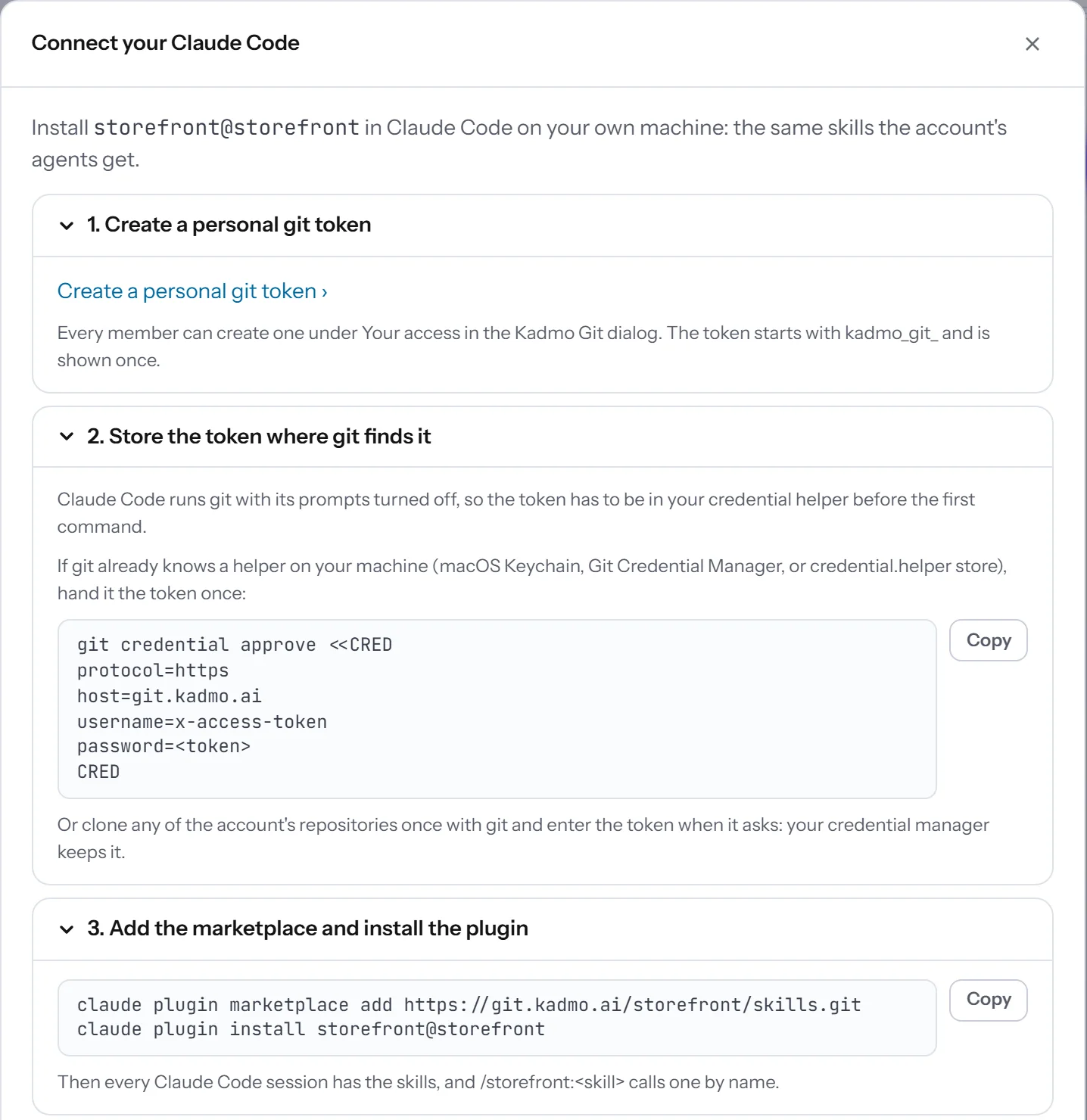
Writing and changing a skill
Add a skill in the app from a file, a paste or a skill a workspace already uses, or push it with git. The editor checks the SKILL.md as you type, and each save is one commit that moves the plugin’s version.
When a push fails the check
Every push to the marketplace is checked. One that fails moves no version: agents and developers keep the copy they have. Git answers at once, and the Skills page shows the push as not released, with the error and the commit.
remote: Kadmo Git: the skills marketplace did not take this commit; the plugin stays at 1.4.1:
remote: Kadmo Git: error: plugins/storefront/skills/triage-ticket/SKILL.md: the frontmatter needs a description: Claude Code reads it to know when to use the skill
Where a skill belongs
| Put it in | When |
|---|---|
| The marketplace | The whole company should have it, on agents and laptops alike |
| A workspace’s skills | Only that workspace’s agents need it. An admin can promote it to the marketplace later |
| A skill pack | It is knowledge about your product, which the runtime serves to agents rather than installing |
Questions
Who can change a skill?
Admins edit in the app. Anyone in the account can push to the repository with their personal git token.
Do we need Kadmo agents to use it?
No. A member's own Claude Code connects to the same marketplace, whether or not the account runs an agent.
Can we hold a new version back from our agents?
Yes. With Deploy to agents off, agents keep the copy they have and take no new installs or updates.
Set it up
The Claude Code skills guide has every step, including how a developer connects, the limits and what to do when something fails.
-
MCP servers
Kadmo builds and runs your MCP server from its repository, behind your account’s sign-in.
-
Skill packs
Knowledge the runtime serves to every run, and what one run learned for the next.
-
AI coding agents
Agents in the roles you define, each on its own machine, on Kadmo or on yours.