Platform Self-hosted agents
Self-hosted AI agents
An agent can run on hardware you own: an Ubuntu server, a container on your Docker host, or a pod in your cluster. It is the same agent Kadmo runs elsewhere, and it reaches the app over a single connection it opens itself.
On this page 8 sections
When to run an agent yourself
Run it yourself when the machine should be yours: your hardware, your operating system, your network rules and your upkeep. The checkouts and the desktop the agent works on stay on that machine, inside your perimeter, and the app still reaches it without an inbound port.
Each machine, container or pod runs one agent, and a Docker host or a cluster can carry several of them side by side. One thing stays with you: the app cannot reboot, stop or start a machine it does not own.
Ubuntu, Docker or Kubernetes
It is one agent, packaged three ways. On a dedicated Ubuntu machine, the installer adds an agent user, a desktop session, Chrome and the background services. The image kadmoai/kadmo-agent starts Ubuntu with systemd as its first process and runs that same installer on its first boot. The chart kadmo-agent-chart runs the image as one pod per Helm release, so a namespace can hold several agents.
Containers and pods run privileged, because systemd comes up first and the agent runs a Docker of its own. Once installed, a self-hosted agent takes the same Self Update and the same components as one on Kadmo.
One outbound connection
The machine starts every connection. Its agent channel is a WebSocket over HTTPS to the app, carrying the agent’s own token, and the app sends jobs, health checks, the live desktop and previews back down it. Each agent holds one channel, and a newer one takes over from the older. The app keeps the channel alive and drops one that falls silent, but it never dials the machine, and no UDP port or VPN is involved.
Inside your perimeter does not mean that nothing leaves it. The agent’s model calls go to the provider its agent app names, and its work reaches your git hosts and package registries, over connections the machine opens as well.
From a token to Online
Picking Your own machine in the wizard ends, at Launch, with a single-use token that holds for an hour and a command each for Ubuntu, Docker and Kubernetes. The install puts the desktop, Chrome, Claude Code and the Kadmo runtime on the machine, and it takes the agent’s setup from the app and its software from public package sources such as Ubuntu’s mirrors and npm. At its first check-in the app trades the token for the agent’s own, and the channel opens.
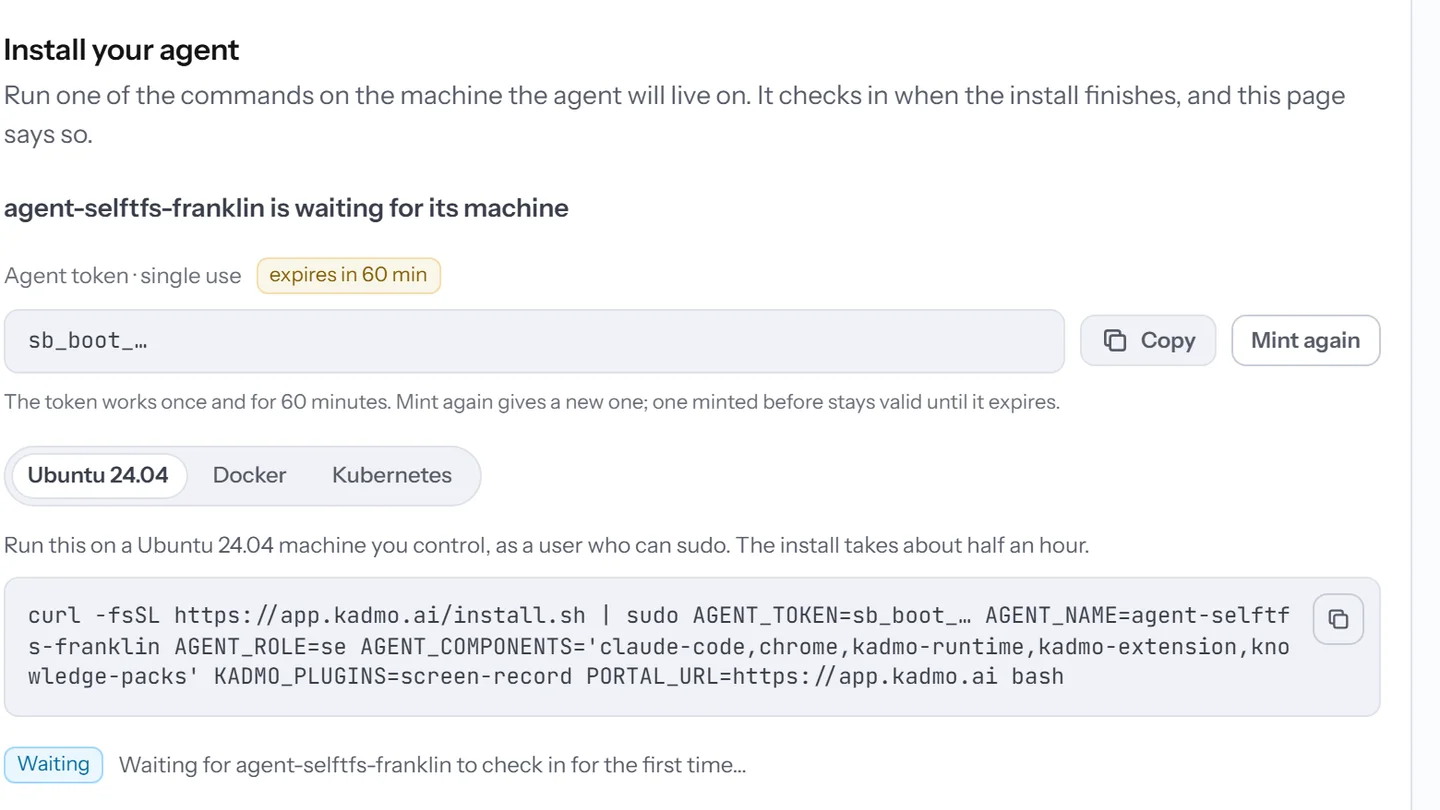
The waiting line in the app turns to Online, and the agent takes work straight away, with no setup hold. Until that first check-in, the token panel shows only to the admins of the account that owns the agent, with Mint again for a fresh token.
What the app still does
The app sends the agent its work, shows its desktop live and keeps its software current, as for any agent. On the fleet it carries the chip Self-hosted, and its own page names Your machine as the provider and the agent channel as its address, with the time the channel opened.
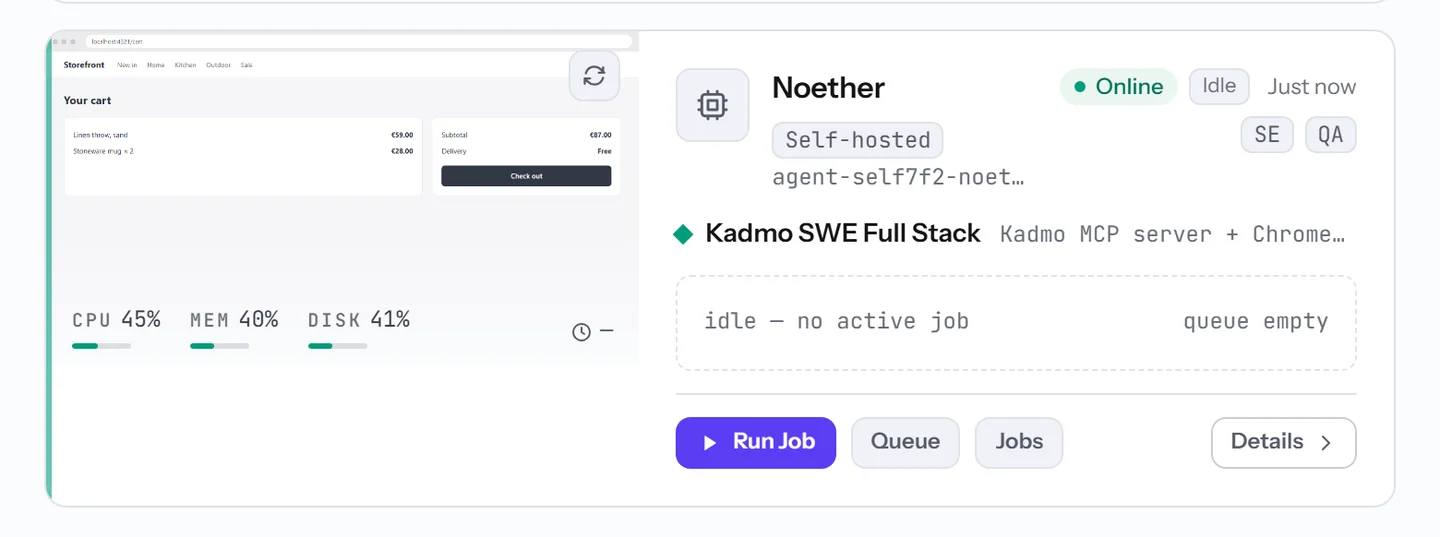
Reboot stays disabled, there is no Stop or Start, and its page offers no SSH access. Re-install on another machine moves the agent to new hardware with a fresh token, keeping its name and history. Destroy revokes the token and closes the channel, and the software on the machine stays there for you to remove.
Questions
Does our firewall need an inbound rule?
No. The machine opens every connection itself over outbound HTTPS, and nothing on your network has to accept one.
Can several agents share one host?
Yes, on Docker or Kubernetes, with each agent in a container or pod of its own. On Ubuntu, one machine runs one agent.
What happens on the machine when we delete the agent?
Nothing there. The app revokes the agent’s token and closes its connection, and the software stays on the machine until you remove it.
Do self-hosted agents get the same updates?
Yes. Self Update and the components pass work on them as on any agent, and a new image tag changes nothing on an agent that already runs.
Set it up
The self-hosting guide covers Ubuntu, Docker, Kubernetes, the network and the agent channel.
-
AI coding agents
Agents in the roles you define, each on its own machine, on Kadmo or on yours.
-
Guardrails
Budgets with a ceiling, the regions and models you allow, and rules for what chats may send.
-
Models and keys
A model per step, on your Kadmo credit or your own keys, with no lock in.