Platform AI coding agents
AI coding agents
An agent is a machine of its own that your team hands work to. It picks up jobs from tasks, playbooks and chats, works in your repositories with Claude Code, and reports what it did.

On this page 9 sections
What an agent is
Each agent is a Linux machine of its own, with a desktop, Google Chrome and a terminal. Claude Code runs your jobs in that terminal. Beside it, a small Kadmo runtime takes the work, sends back status, health and screenshots, and hands the coding app your skill packs. A workspace folder on the machine holds the repositories of the workspaces you assign to it.
Work reaches an agent as a job: a task, a step of a playbook, a chat, an automation, or a run someone starts by hand. The agent takes it in the roles you gave it, the built-in ones and those your skill pack adds. These are background agents in the plain sense: the work goes on while nobody sits at a terminal.
Where it runs
An agent runs in one of three places, and one wizard creates it in any of them:
- On Kadmo: a Kadmo machine on AWS in Frankfurt, with nothing for you to set up.
- In your own cloud: an account of yours on AWS, Google Cloud or Hetzner. The guide says which of them you can connect and launch agents on today.
- On your own machine: an Ubuntu server, a Docker host or a Kubernetes cluster that you run.
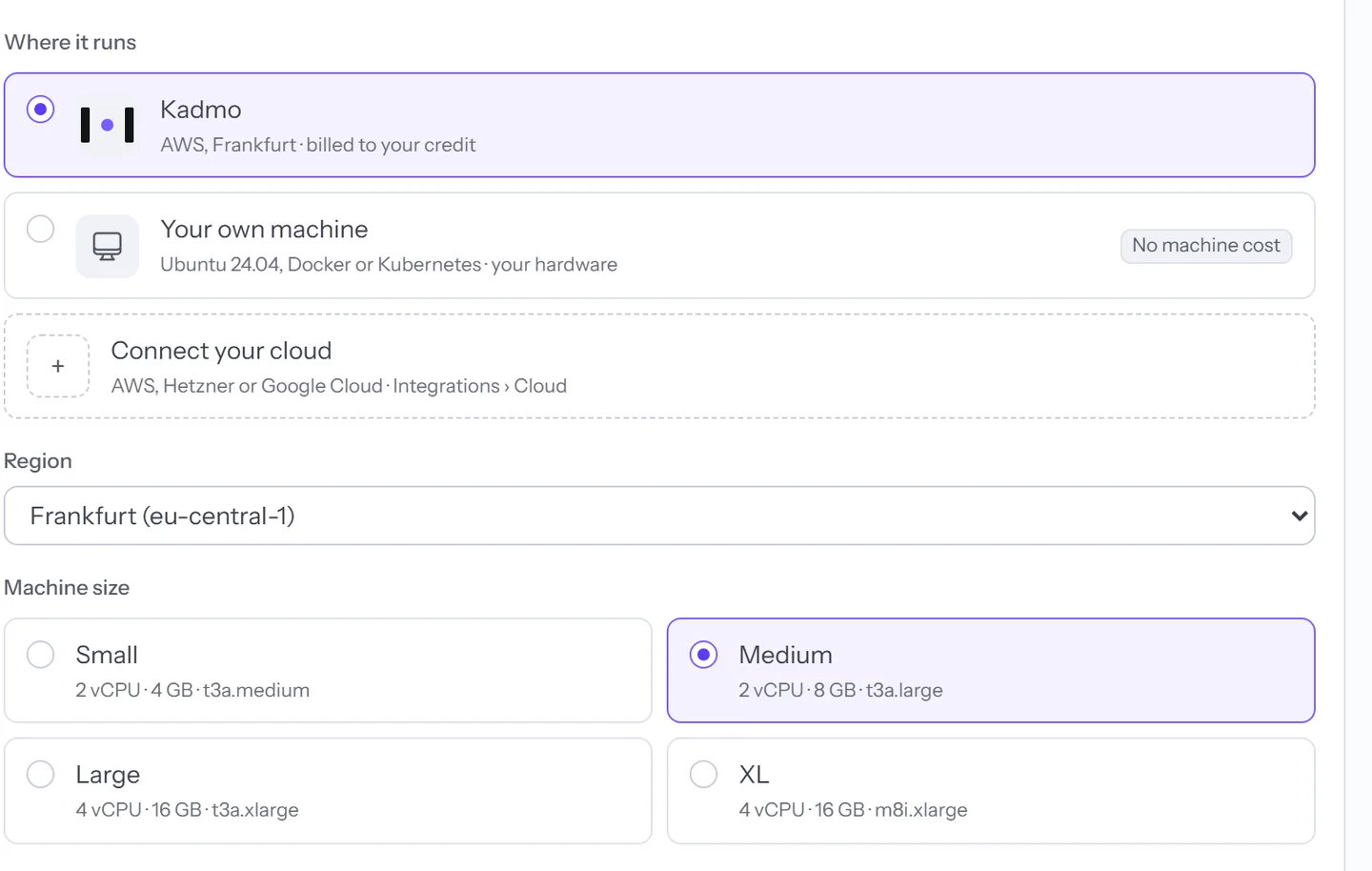
A profile fills in the software, with ready ones for full stack, .NET and Android work, and one launch can start a batch of agents.
The coding app and its model
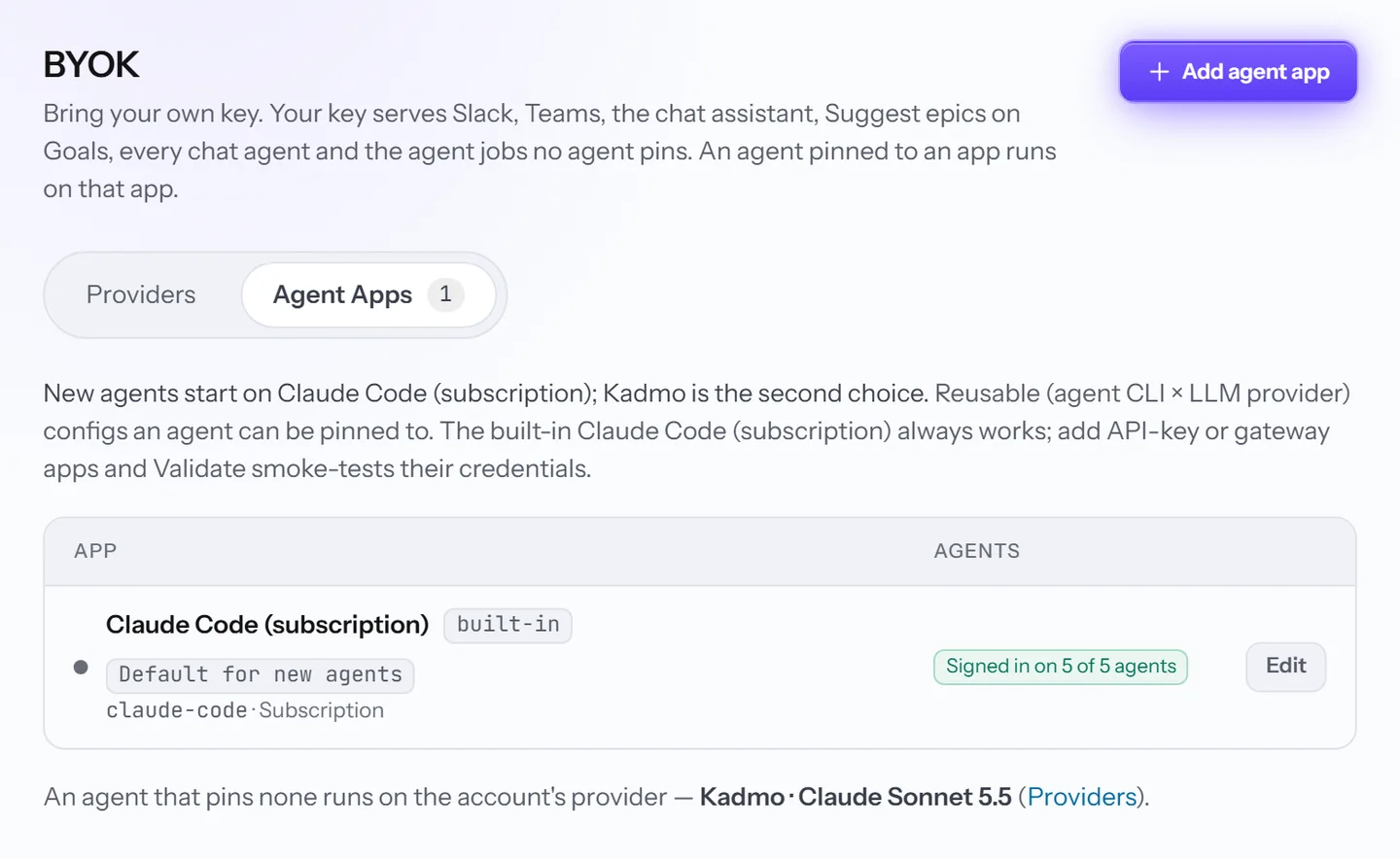
An agent app settles two things at once: which coding app runs the jobs, and which model provider it calls. Claude Code can run on Kadmo’s models, or signed in with your own Claude subscription or API key where your account uses its own providers. Claude Code with its router reaches models that Claude Code cannot speak to directly, such as OpenAI’s, Gemini or an OpenAI-compatible endpoint.
An agent can be pinned to one app; otherwise it runs on what the account uses. An effort tier, set on a playbook, a step or a single run, picks the model and how hard Claude Code works on that job.
The fleet and parallel jobs
Agent Fleet shows every agent as a card: its live screen, its status, what waits in its queue and the job it is on. Filters for role, status, profile and identity narrow a large fleet, Run Job sends one agent a workflow, and the Jobs ledger keeps everything the fleet has run.
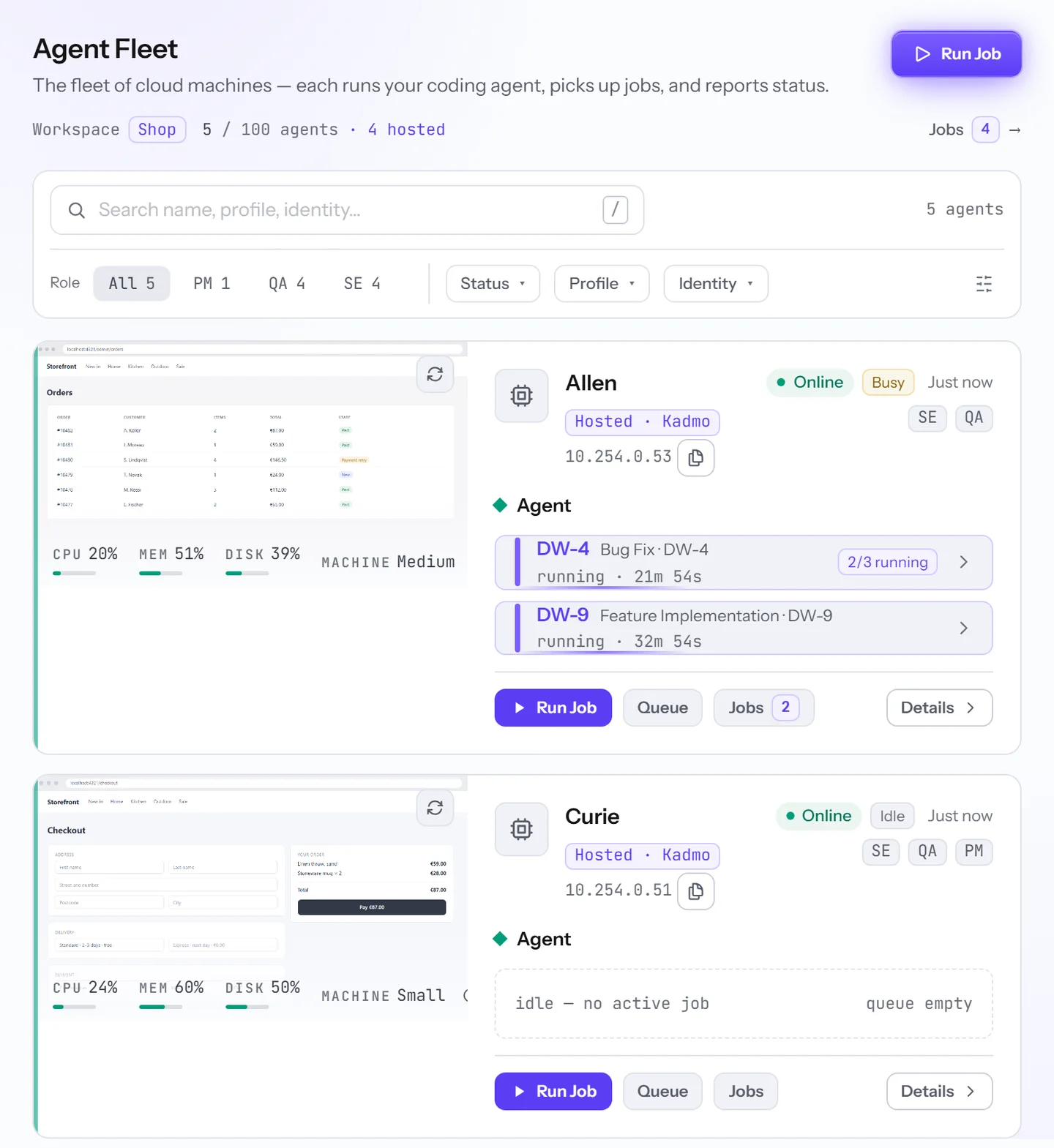
An agent takes one job at a time unless its owner raises that number. Jobs then share an agent only where they can: a Self Update takes the whole machine, two jobs that each hold the same workspace wait for each other, and jobs that need Chrome take turns for its browser slots.
How agents stay current
Nobody rebuilds an agent. The built-in roles, the workflows playbooks run and your skill packs, from the public library and from your account, refresh themselves within minutes. Your account’s Claude Code skills install from its marketplace as soon as the agent is free.
The runtime, Claude Code, the runners and the components move in the agent’s own components pass. Automatic moves wait for Auto Update Agent, the owner’s switch, which starts off, while a Self Update brings everything to its target in one job.
Browser and desktop
The agent’s Chrome carries the Kadmo extension, and Claude Code drives it through the runtime’s browser tools. It reads a page as a list of elements it can point at, then clicks, types and takes screenshots, so it can open the web app it just changed and try it the way a person would.
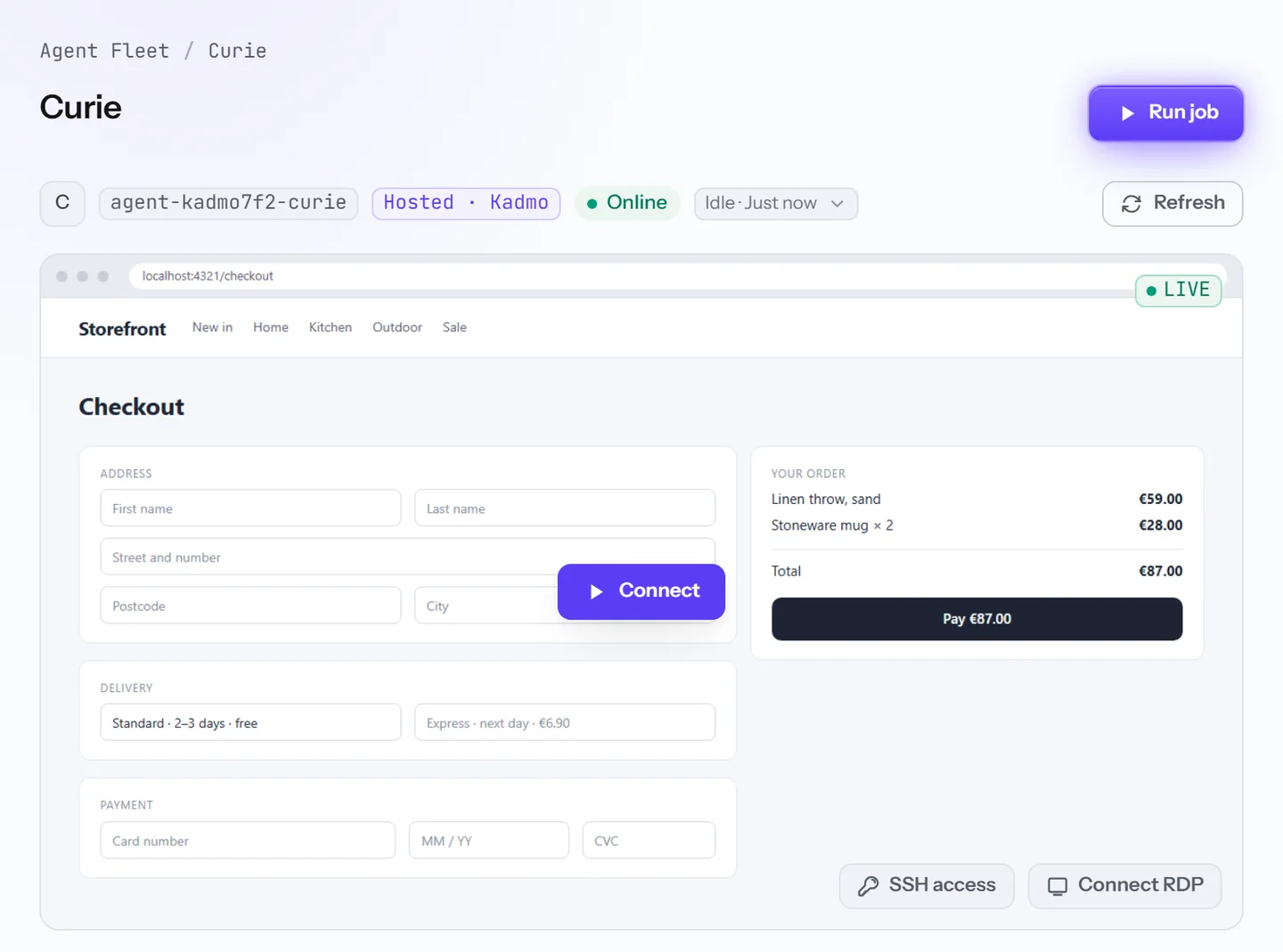
Account admins follow the desktop on the agent’s page and sign in there once when an app on the agent asks for it, and a job recorded on video plays back on that job’s page.
Questions
Can two agents work in the same repository?
Yes. Each checks the repository out on its own machine, so one agent’s unfinished work never lands in the other’s folder.
Which coding apps can an agent run?
Claude Code, on Kadmo’s models or on your own subscription or key, and Claude Code with its router for models it cannot call by itself.
Can we watch an agent while it works?
Yes. Admins see its screen live, and when a job was recorded, its video stays with the job.
Does a Kadmo release mean rebuilding our agents?
No. Agents pick up new roles, workflows and skill packs by themselves, and one Self Update brings the runtime and the coding app up to date.
Set it up
The agents guide explains where an agent can run, parallel jobs and how agents stay current. Create an agent walks through the wizard, and Browser tools shows how an agent drives Chrome.
-
Self-hosted agents
Inside your perimeter: one outbound connection and no inbound port, on Ubuntu, Docker or Kubernetes.
-
Playbooks
The steps for each kind of ticket, each with a role, and a gate at every handoff.
-
Claude Code skills
Your account’s own marketplace: agents install it and developers connect to it.