Platform Goals
Goals
Hand Kadmo an outcome instead of a list of tickets. A goal carries your description through the calls that need a person, then agents plan the work into tasks and build it in order, with one owner who answers for it.

On this page 8 sections
How a goal runs
A goal starts as an outcome, described the way you would put it to a colleague. It works with Jira, Linear or Notion, or with no tracker at all.
The goal’s type sets its path. An app feature goes through Decide, Plan and Build. A landing website or a documentation site opens with Scope, where its questions get aligned, and closes with Launch, and a landing website has a Design step as well. For each step you choose whether it runs straight on or holds for you. Results stays open as the goal’s record of its tasks, runs, code, tokens, tickets and artifacts.
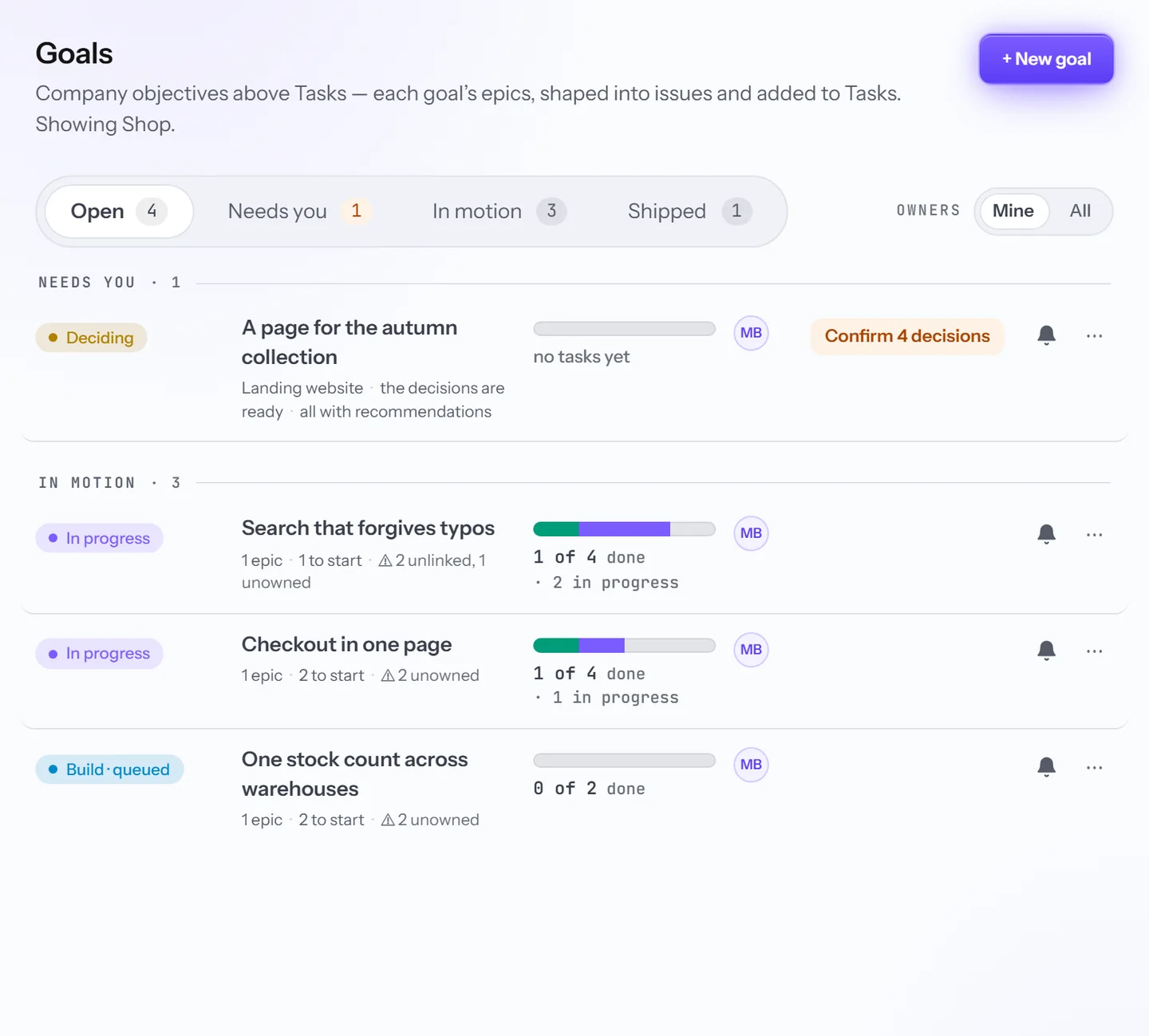
The Goals list shows what each goal is waiting for, who owns it, and how far its tasks have come.
Settling the decisions
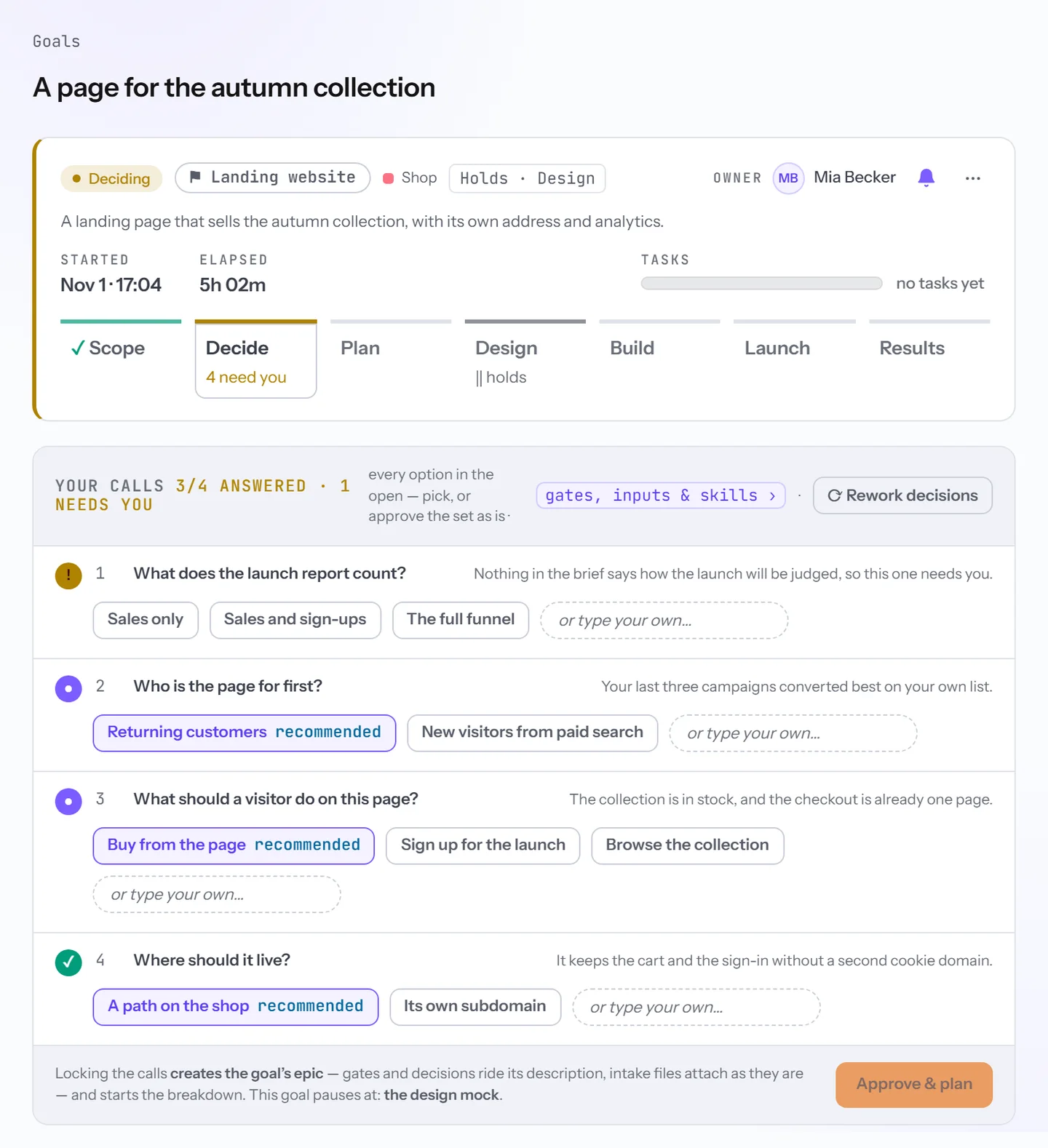
Before anything is planned, agents read the goal and come back with the decisions it turns on, each with a recommendation. On an app feature every call carries a confidence score: at or above your account’s bar it is the agent’s to make, and below it the agent asks. Spending, access, anything irreversible, facts only you hold and calls about the product always ask, whatever the score. Where the tracker takes them, your answers reach the epic as one comment.
A website goal offers a recommended option for each call, with room for an answer of your own. There, Approve & plan locks the calls, writes the epic with the decisions in its description, and starts the breakdown.
Tasks, wave by wave
In Plan, three roles take turns: QA walks the product as it stands, SE writes the plan, and PM breaks it into tasks in the epic, linked by what blocks what. The first wave holds the tasks that wait on nothing in the goal, and every later wave holds tasks whose blockers sit in earlier ones.
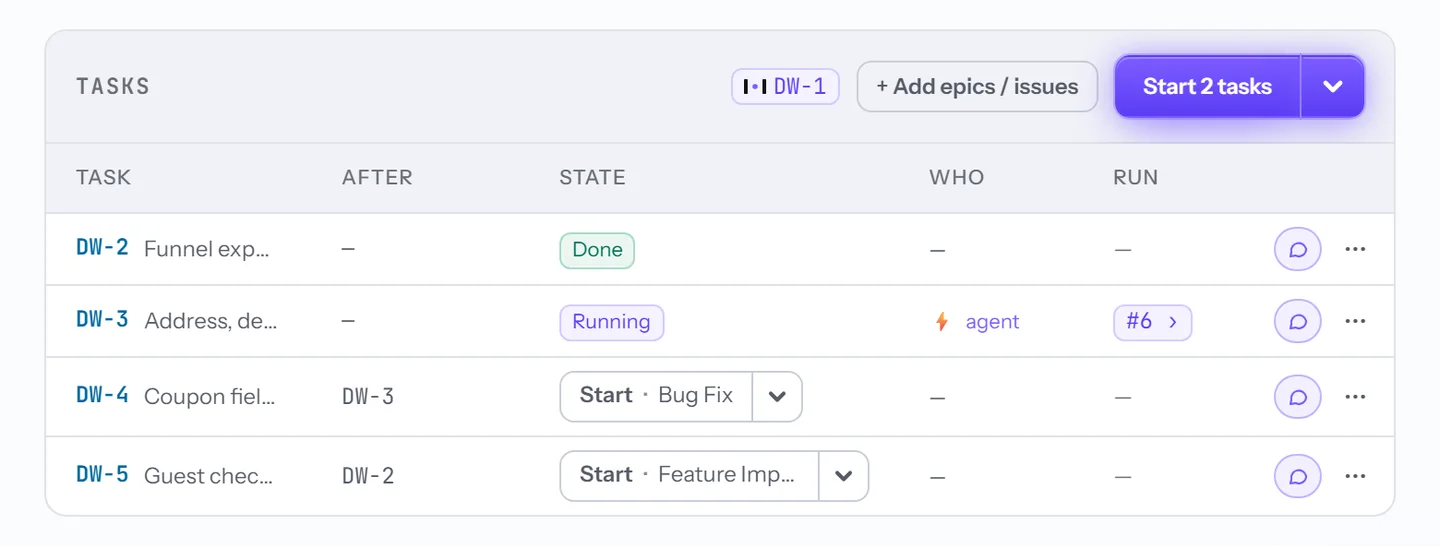
In Build, each task runs through Tasks on the delivery playbook its type leads to, and it cannot start before what it waits on is done. A row’s Start button names that playbook, the button at the head starts every task that can go, and a step only a person can do shows Your turn.
Chats on each step
Every step has chats for the questions it raises: on Decide to align open questions, on Plan to propose a task, on Build to QA the app. In a chat the model answers at once in a role, as Ask PM or Ask QA, or Start job sends the question to an agent as a job that reports back when it ends.
Answers arrive with cards, such as apply this to a decision, retry a task with a note, or create a task in the epic, and nothing runs or is written until someone presses one. Admins ask in goal chats.
One owner
Every goal has one owner, the person it asks and writes to. Whoever creates a goal owns it. An imported one goes to the epic’s lead when they are a member of your account, and otherwise to whoever imported it. The owner or an admin can hand it on.
When the goal needs its owner, because a decision asks, a run stopped, a step holds, Build waits on a person or the epic could not be written, Kadmo sends an e-mail, and a direct message in Slack or Microsoft Teams where it finds them. It writes once more when the goal is done. Messages are spaced out per goal, and the bell mutes one goal. The owner and admins answer, approve and start held steps.
Questions
Do we need a tracker for goals?
No. Without one, the goal's epic and its tasks live in Kadmo Issue Tracking, inside your account.
Can we start from epics we already have?
Yes, from Jira or Linear: each epic you pick becomes a goal named after it.
What does the agent decide on its own?
On an app feature, the calls it is sure of, above a confidence bar your admins set. Spending, access, anything that cannot be undone, what only you can know and calls about the product always wait for a person.
Set it up
The goals guide covers creating a goal, the decisions and the confidence bar, the chats, the owner and importing epics.
-
Playbooks
The steps for each kind of ticket, each with a role, and a gate at every handoff.
-
Integrations
Jira, Linear, Notion, GitHub, GitLab, Slack and Teams, with results back in the ticket.
-
Ask Kadmo
Answers from your account, with sources. A request for work comes back as a plan.