Hosted MCP servers, Claude Code skills and screen recording
Run your own MCP servers on Kadmo, give every agent your company's Claude Code skills, and get a video of any job. Kadmo's extension is in the Chrome Web Store.
On this page 8 sections
In short
- Hosted MCP servers: Kadmo builds and runs your own MCP server from its repository, behind your account's sign-in.
- Claude Code skills: your company's skills, added in Kadmo, reach every agent and every member's own Claude Code.
- Screen recording: ask for a video of any job; it plays on the job page and on a share link.
- The Kadmo extension in the Chrome Web Store, playbooks on a schedule, and any OpenAI-compatible API on Enterprise and the trial.
The fourth release gave your agents a place to run and a repository to work in. This one is about what they can reach and what they can show: your own MCP servers, your company’s Claude Code skills and a video of any job. The app’s part reaches every account at once; recording needs the Kadmo Agent Runtime 0.5.0, which an agent gets with a Self Update.
Kadmo Desktop is not in this release, but its story is out: how we built a desktop app in three days with AI agents.
Your own MCP servers, hosted by Kadmo
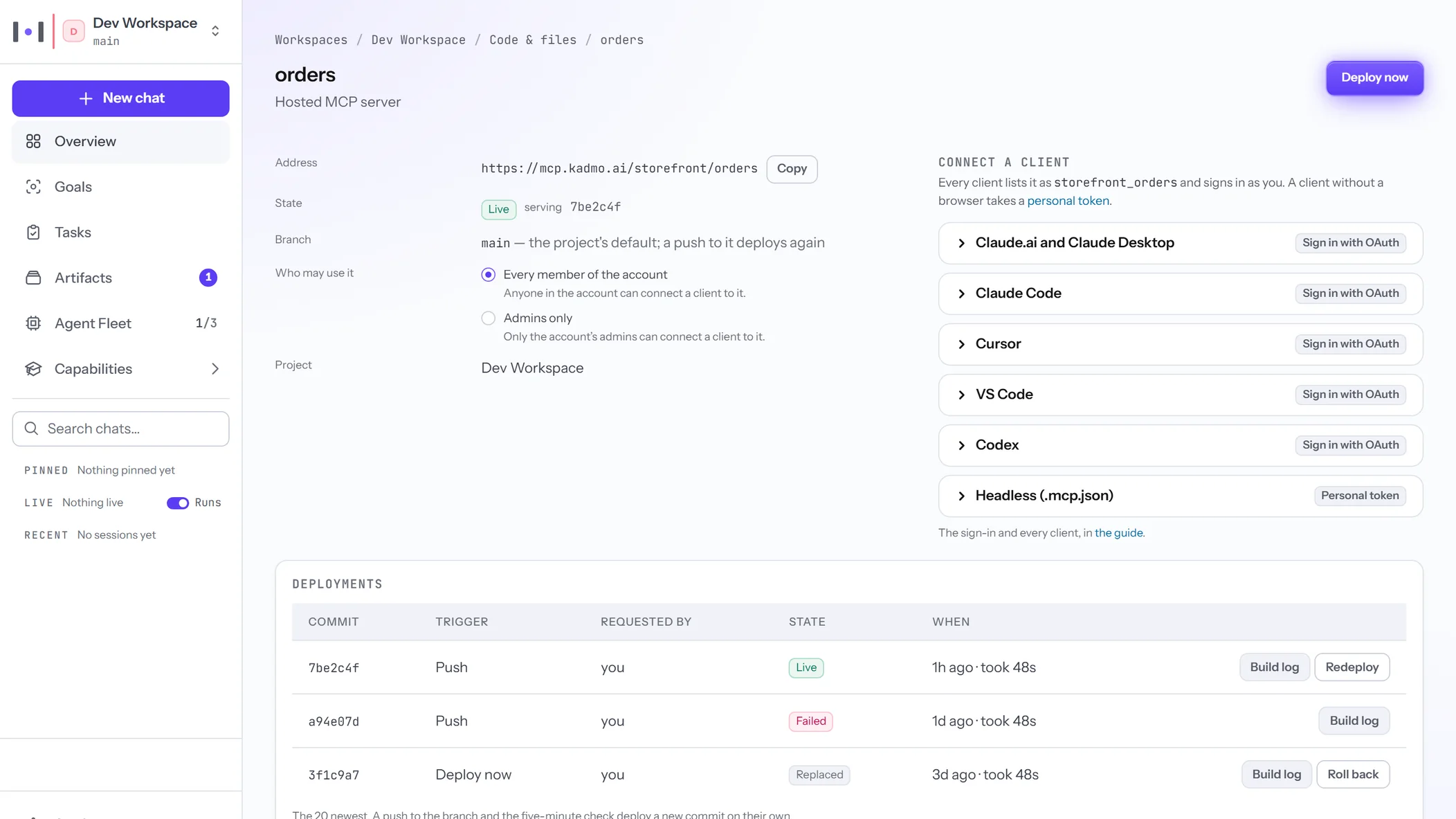
Kadmo builds and runs your own MCP server from its repository, behind your account’s sign-in. Put a Node.js server and a manifest, kadmo-mcp.json, in a workspace project’s repository, on GitHub or Kadmo Git, and an admin attaches it. It answers at https://mcp.kadmo.ai/<account>/<server>, and your members connect from Claude, Claude Code, Cursor, VS Code or Codex by signing in with Kadmo. Nobody outside the account can connect.
Every push redeploys it, and a build that fails leaves the live server untouched. The server’s page holds its deployments with their build logs, its log, its environment and who may use it, with Roll back one click away. An account runs up to three servers.
Your server never sees a member’s Kadmo token: each request tells it who is calling, in signed headers. It holds no GitHub credential either, and asks Kadmo for a token narrowed to one repository its manifest names. Kadmo’s own blog is written and released through such a server.
Kadmo’s own MCP server, at https://app.kadmo.ai/mcp, works beside yours: dispatch jobs, read runs back and work a goal end to end, with the tools your role allows.
Hosted MCP servers in the docs
Claude Code skills for the whole team
Your company’s Claude Code skills, added in Kadmo, reach every agent and every member’s own Claude Code. Every account has its own marketplace, a Kadmo Git repository at https://git.kadmo.ai/<account>/skills.git, and a skill reads /<account>:<skill> in Claude Code.
An admin adds a skill under Settings › Library › Skills: a pasted SKILL.md, a dropped .md or .zip, or a workspace’s skill promoted to the account. Every save is one commit, and anyone in the account can push with git. A marketplace holds up to 64 skills of up to 5 MB each.
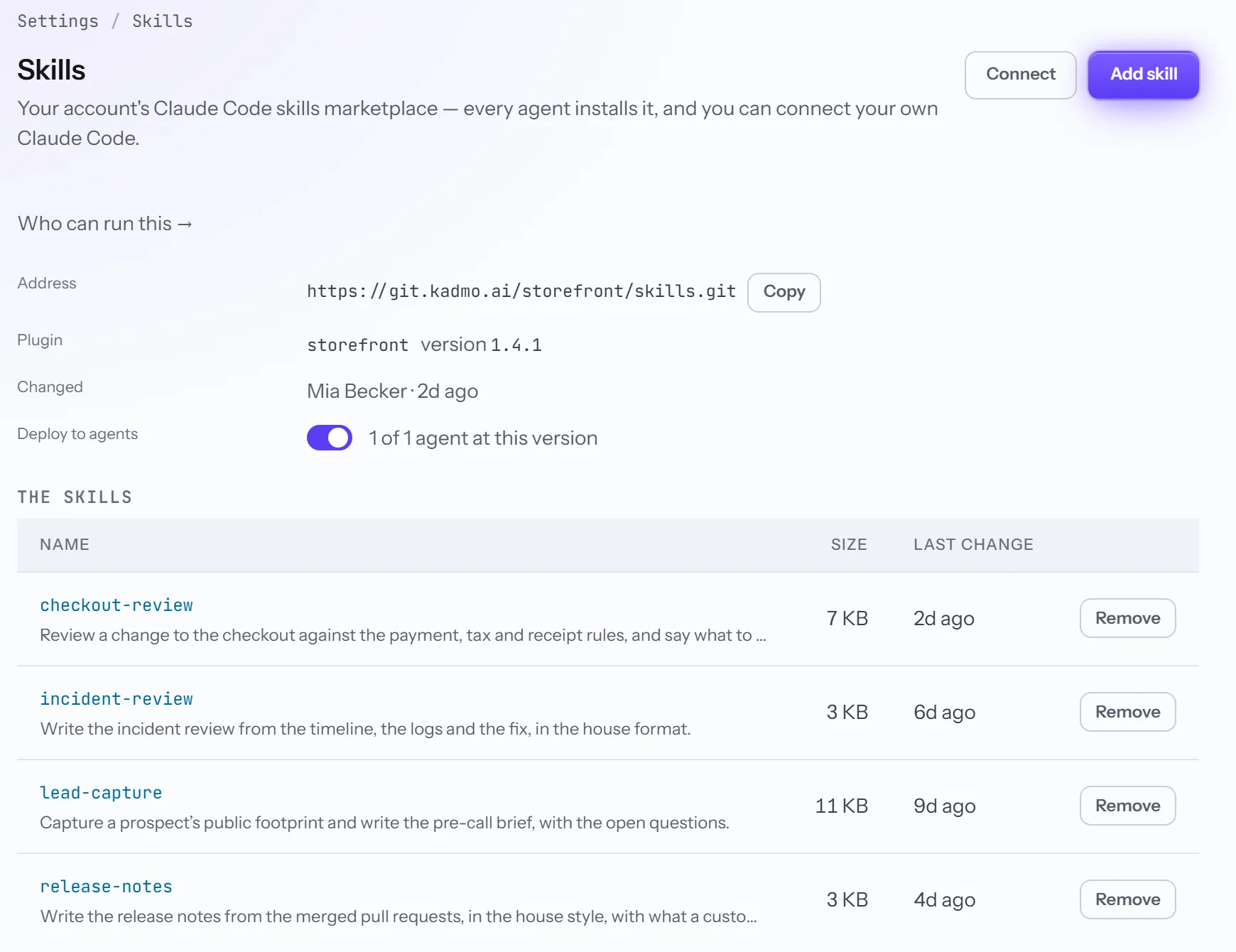
Deploy to agents is on by default. Once the marketplace holds a skill, every agent of the account installs it: an idle agent at once, a busy one when its job ends. A member connects their own Claude Code with a personal git token and two commands, which the Skills page fills in for your account.
Claude Code skills in the docs
A video of any job
Ask for a video of any job; it plays on the job page and on a share link. Tick Record the screen on the Run modal, tick Record the screen of every step on the Tasks intake, or pass recording to dispatch_agent_job from an AI client. Nothing records unless you ask, each time.
Kadmo records the agent’s whole desktop, terminal included, and blurs nothing, so ask only for a job whose screen you are willing to share. A recorded job runs alone on its agent. Standard is 720p at about 1 to 3 MB a minute, High is 1080p at about 5 to 20 MB, and a recording stops at 500 MB.
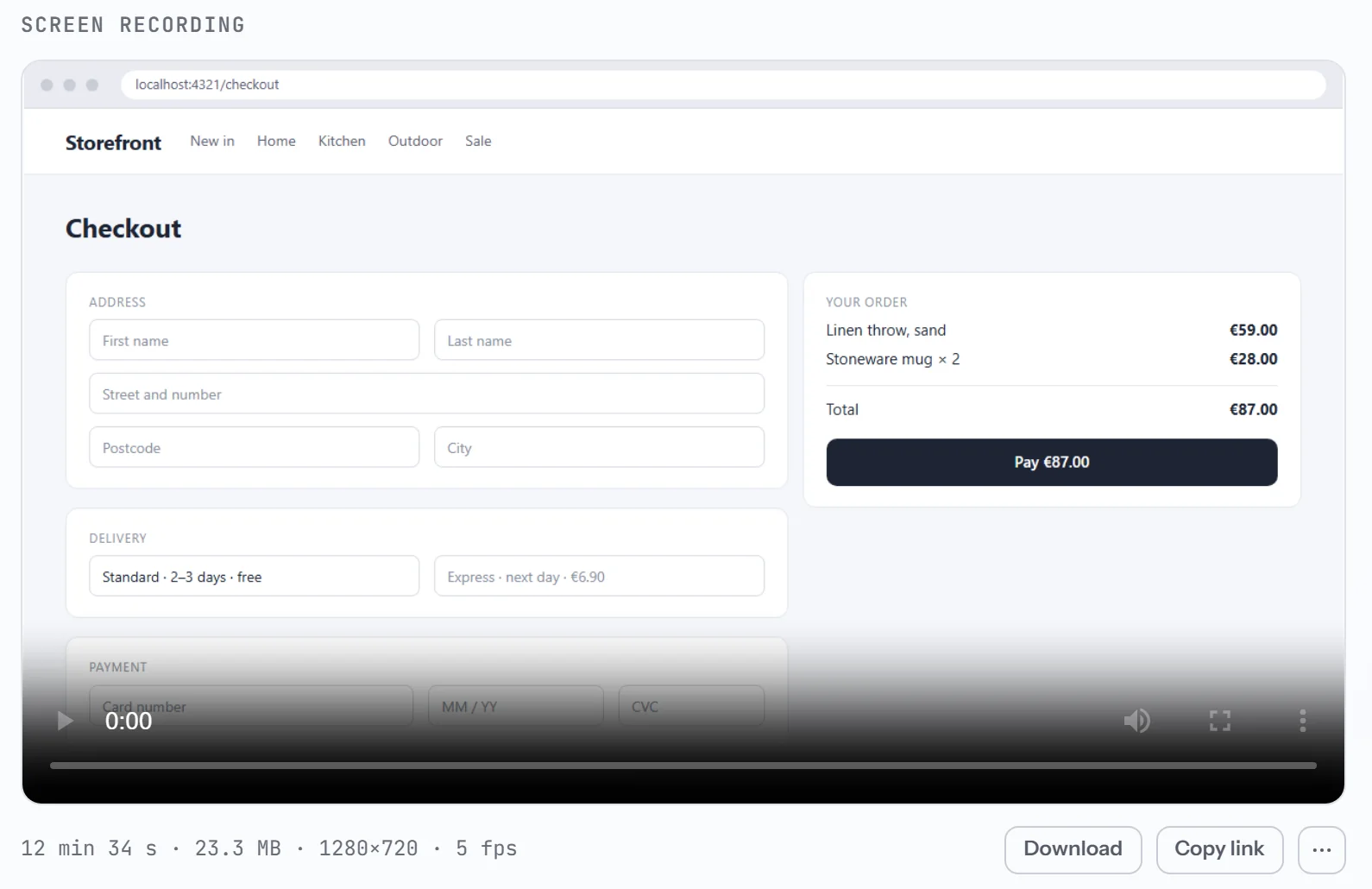
When the job ends, the video takes the live desktop’s place on the job page, with Download and Copy link. It is in Artifacts under Recordings too, and a share link opens a player with no sign-in until you revoke it.
The Kadmo extension in the Chrome Web Store
Install it from the Chrome Web Store, and each agent session works in a Chrome window of its own. The extension lets the Kadmo runtime on your computer drive Chrome: open a page, read it, click, type and fill in forms. Pages open with the sessions you are already signed in to, so nothing needs your passwords. Its only peer is the runtime on your own computer.
A Claude Code window, Cursor or a job is a session. Its first browser call opens a Chrome window with one tab group named after the session, in a colour no other session has. Drop a tab of yours into the group to lend it and drag it out to take it back; when the session ends, its window closes and your tabs come back.
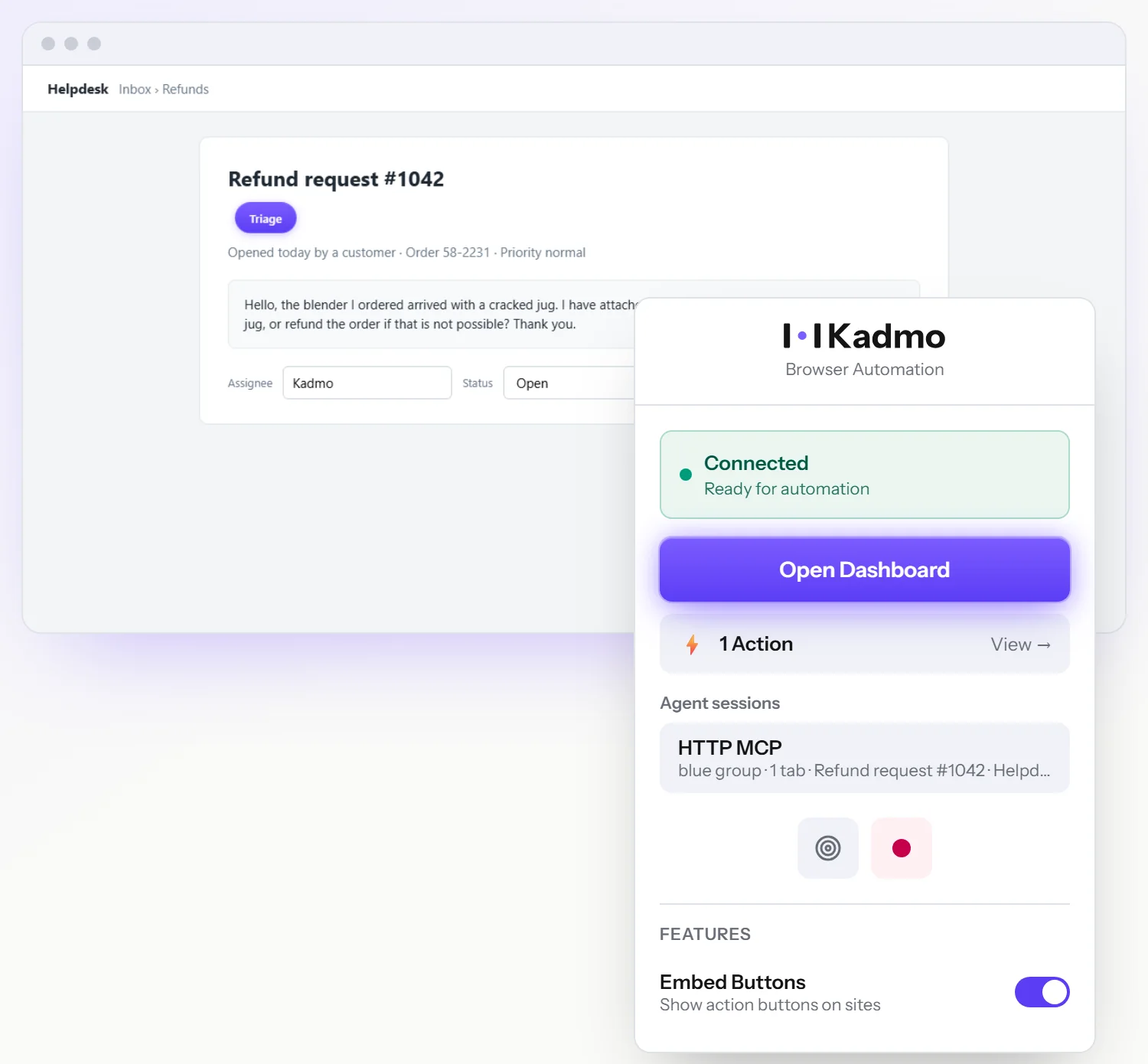
Kadmo’s agents use the same listing: a new agent installs it by policy, and an existing one takes it with a Self Update. On your own computer, add Kadmo to Chrome from the store and run the Kadmo runtime 0.4.1 or later.
The Kadmo extension in the docs
Playbooks on a schedule
A cron rule runs a playbook on a pinned ticket or on a new task each time. On Automations, the Cron trigger now takes the Playbook action, and the rule names where its ticket comes from: a ticket you pin, or a new task each run, named after the rule and the day. It can add the task to Tasks or run at once, approved or held for review.
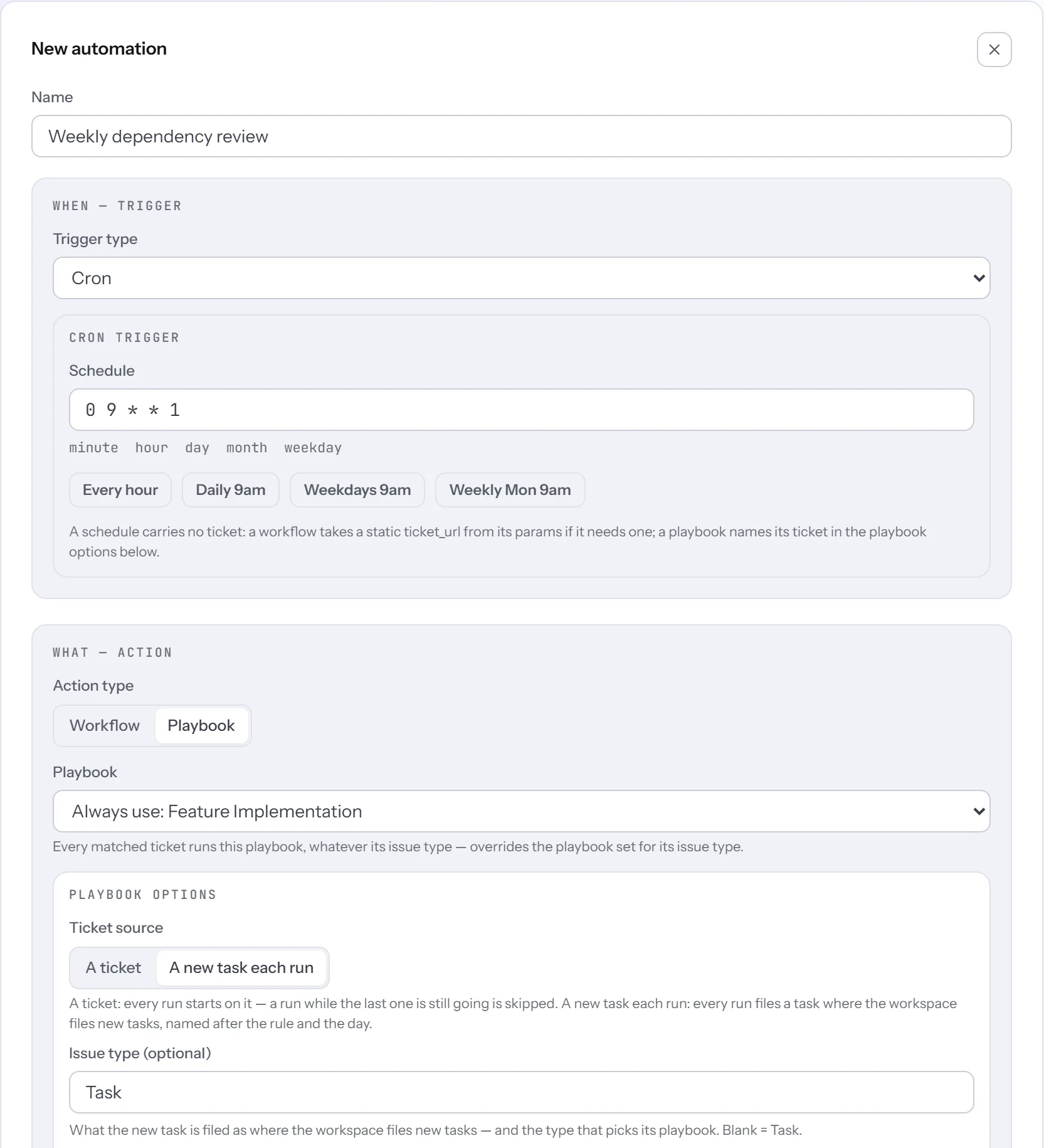
Each firing is one line in the rule’s log: the run it started, or the skip and its reason. While a run still drives the pinned ticket, a firing is skipped rather than stacked. Every firing reads the rule as saved, so an edit applies at once and a rule switched off fires nothing.
Your own model endpoint
On Enterprise and the trial, BYOK takes any OpenAI-compatible API, and Kadmo’s chats run on it. The new row on BYOK › Providers has presets for Gemini, Groq, Cerebras and Mistral, or takes any base URL. Load models lists what the endpoint offers, and Test calls it before Save & use stores anything.
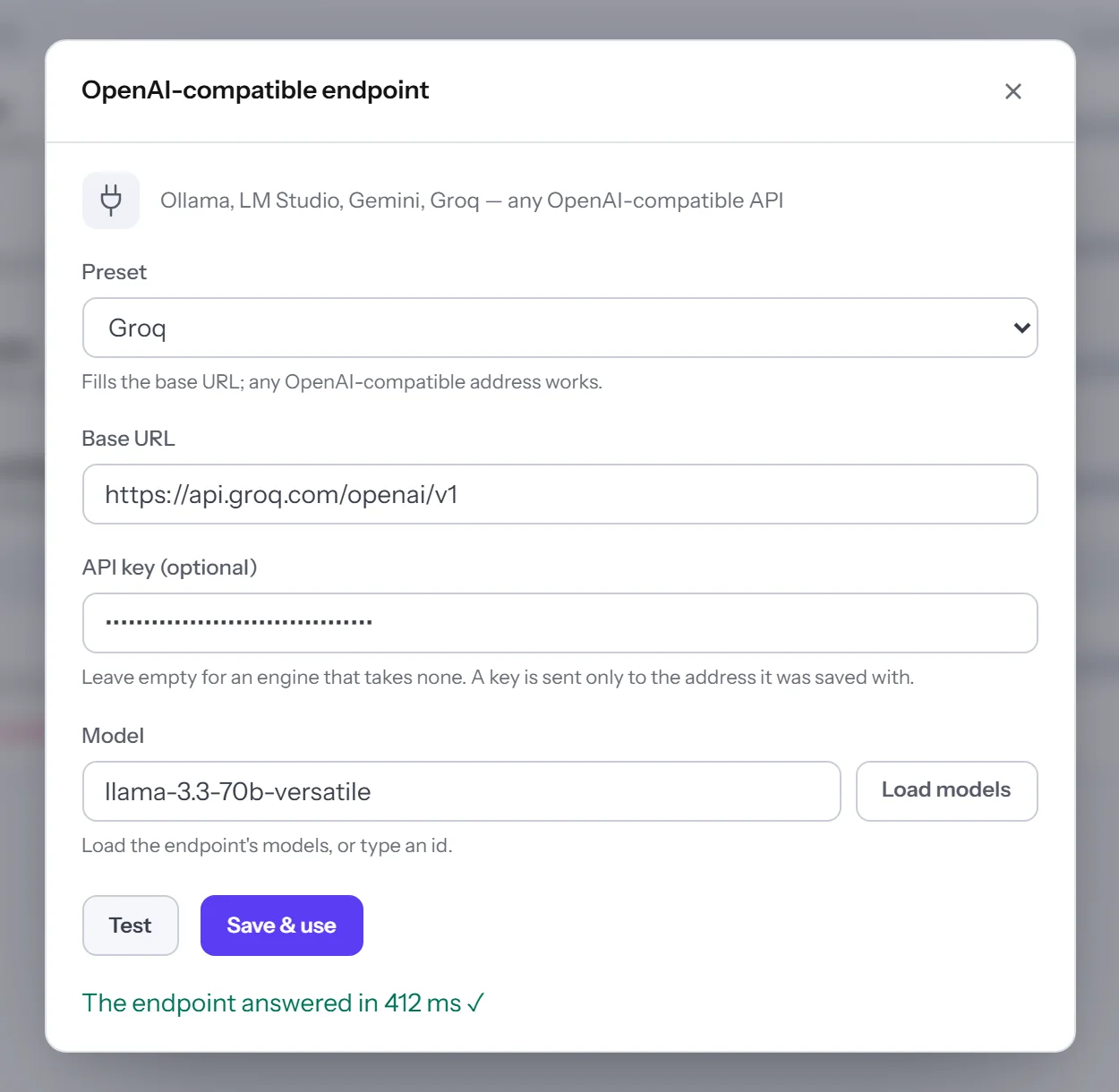
On Kadmo’s cloud the address must be https to a public host, judged by what the name resolves to before every call, and a stored key goes only to the address it was saved with. Content rules still read the messages. Your agents’ jobs do not use the endpoint: each agent keeps its own app or sign-in, and the dialog says so.
When a provider limits a call’s rate, Ask now says so in words, with the time it resets: OpenRouter’s rate limit, resets in 42 s.
The trial is now Enterprise
A trial holds every Enterprise feature for 15 days, and only Kadmo’s credit is guarded. That means your own AI keys, the direct agent apps, data residency and content rules, and up to 100 agents. Calls on your own keys are never blocked by model; on Kadmo’s credit a trial runs Economy and Standard models, and Premium ones come with a plan.
A trial’s balance never goes below €0. Every call sets its maximum aside first and runs only while the balance covers it, and a Kadmo machine stops at €0 and when the trial ends, its disk kept. An ended trial spends nothing.
New trials open by invitation for now: join the waitlist for a free trial.
Also in this release
Action needed
- Agents: run Self Update on an agent on an older runtime. It brings the Kadmo Agent Runtime 0.5.0, which recording needs, and Kadmo’s extension listing.
- New agents: on Enterprise and the trial, a new agent defaults to Claude Code on your Claude subscription and waits at Not logged in. Sign in once on its Live desktop.
Improved
- On a trial, the Small card lists every vetted machine under €50 a month at its live price: the first in stock is picked, and the others read sold out.
- Until an agent of the workspace has been online, Overview, Goals, Tasks, Jobs and Agents say one thing: Create your first agent, then Your agent is waiting for its machine.
- A goal’s step that runs nothing no longer dead-ends: admins get Mark Plan done and Attach a playbook….
- An admin can delete the account from Settings › General: a simple account goes in one confirmed step, and otherwise the dialog lists what to remove first.
- The chat button opens Ask, as + New chat does; the live agent session comes second.
- SSH access on Settings › Cloud’s key table and on the agent page, for your account’s admins.
- The New role dialog asks for the label first and fills the slug from it.
- An agent app on an OpenRouter
:freemodel uses it for background calls too, and its job reads free tier · OpenRouter at zero cost. - A new connection starts with a name, and a connected GitHub reads Healthy with when it was linked or validated.
- From an AI client,
import_goalsimports an epic as the portal does, andset_goal_step_playbookattaches a playbook to a goal’s step.
Fixed
- Switching a default workflow off holds, for your account alone.
- A new agent no longer reads Apply pending.
- A goal attachment with spaces or umlauts in its name is made safe instead of refused.
- Open definition and the Roles chips open the workflow’s own page.
- A launch that failed before a machine existed no longer holds a trial’s one slot.