Slack AI agent, Linear agent and AI agent API
Add Kadmo to Slack with one button and delegate Linear issues to it. Kadmo's API starts agents from your own code, and webhooks say when the work is done.
On this page 6 sections
In short
- Kadmo for Slack: add Kadmo's own app with one button and pick channels by name. No app to build, no token to copy.
- Linear agent sessions: delegate an issue to Kadmo or mention it, and Kadmo answers in the issue with its steps and its result.
- Kadmo's API and webhooks: start jobs, file tasks and run playbooks over HTTP, and hear when a job finishes or needs you.
- Agents on ARM: one image for ARM servers and Macs with Apple silicon.
Everything in this release reaches every account at once, and no agent needs an update.
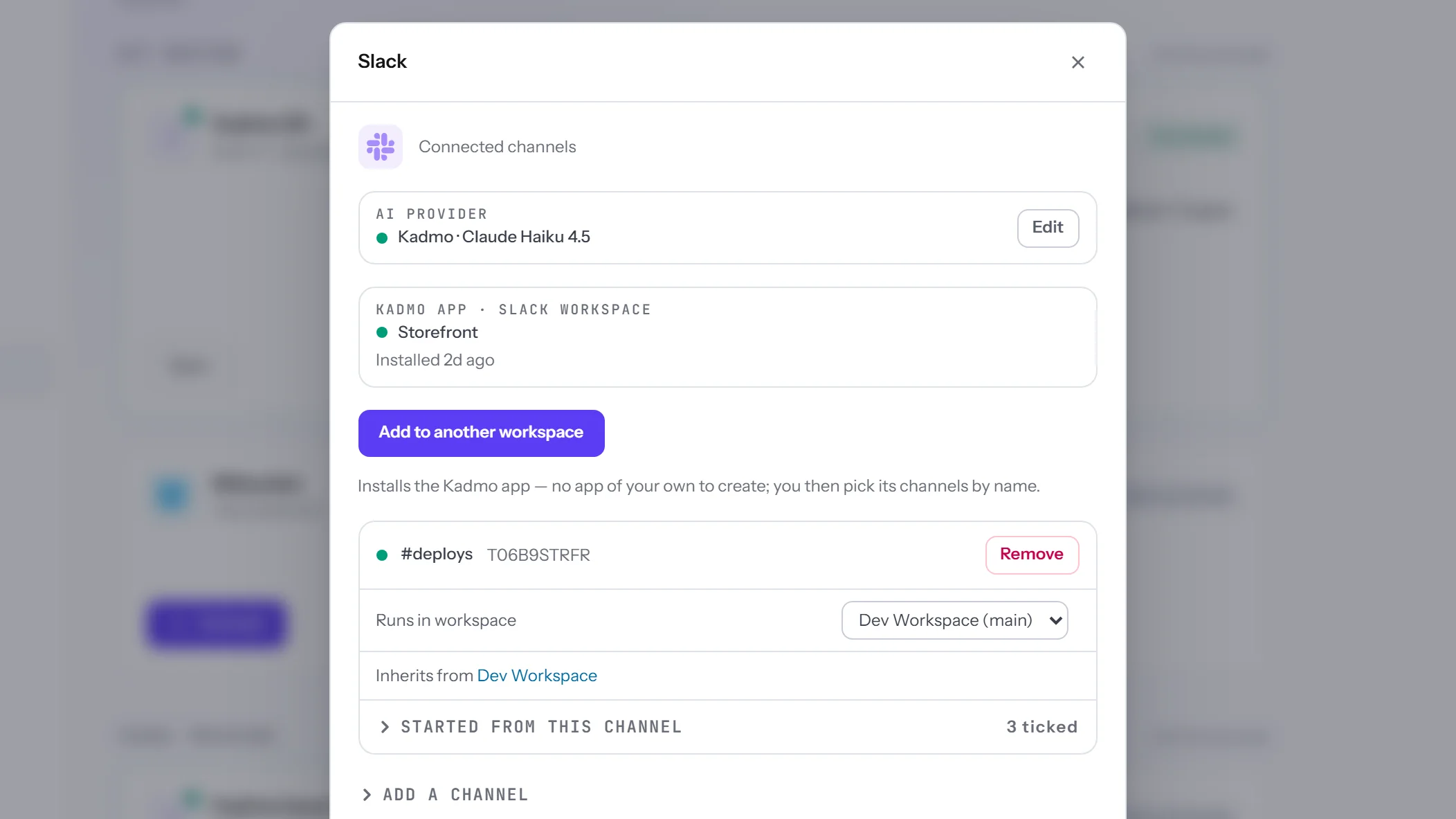
Kadmo’s own Slack app is live. A Slack admin presses Add to Slack on the Kadmo for Slack page or on the Slack card under Integrations. There is no app to build, no token to copy and no signing secret to paste.
Invite the app to a channel with /invite @Kadmo, pick the channel by name in Kadmo and tick the playbooks and workflows people may start there. Kadmo links people by their confirmed Slack e-mail, so a member’s message starts work as that member. Slack Connect channels work too, but nobody from the other organization is linked.
Type help in a connected channel, or write to the app directly, and Kadmo lists what you may start. While Kadmo works, the message shows an hourglass, and a reply a model wrote ends with a Written by AI line. Kadmo keeps a request and its replies for 90 days after it ends.
A Slack app of your own keeps working, now under Advanced. A channel connects only once. To move one, press Remove on its row, then add it again through Kadmo’s app.
Hand a Linear issue to Kadmo
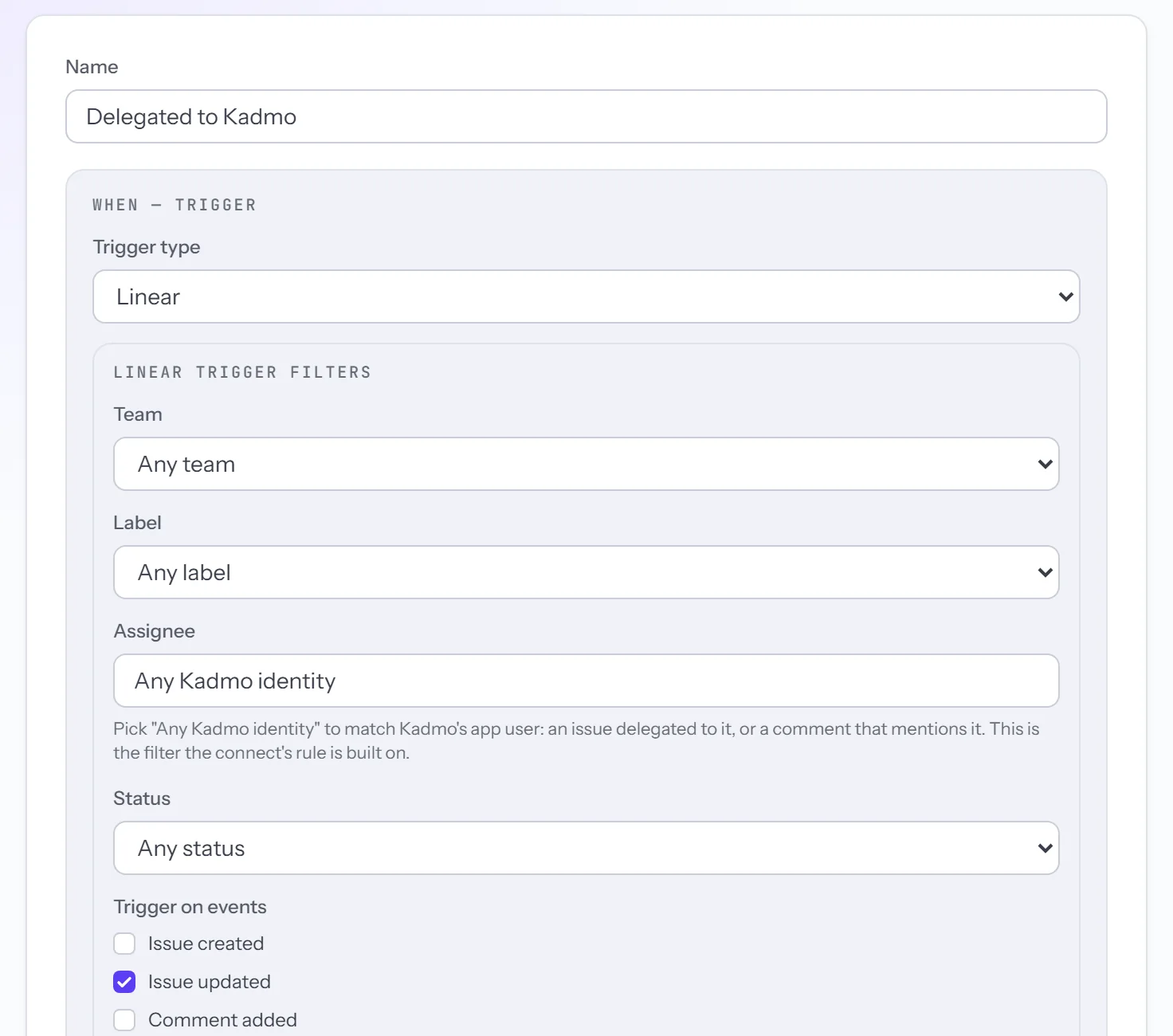
Delegate a Linear issue to Kadmo from its assignee menu, or mention Kadmo in a comment, and an agent session opens in the issue. Kadmo posts its steps, questions and reports as they happen, then the result. Reply in the session to answer a question, or stop it to cancel the work.
Agent sessions need Kadmo’s own Linear app, which is now public: press Connect with Linear under Integrations › Issue Tracking › Linear. On a personal API key, the same dialog offers Upgrade to the Linear app; it replaces the stored key and keeps your rules.
The first connect adds one rule, Delegated to Kadmo: a delegated issue starts the playbook its first label routes to. Bug, Story, Task and Hotfix are routed from the start. An issue with another first label, or with none, waits in Tasks until someone picks a playbook. On an account with several workspaces, link each Linear team to its workspace, or name one workspace on the rule.
Hand an issue to Kadmo in the docs
Start agents from your own code
Kadmo has a public API: a script, a CI job or any tool that sends HTTP can start your agents and read their work back. Create a token under Settings › Assistant › API tokens. It is shown once and opens only the API. An admin can revoke any member’s token.
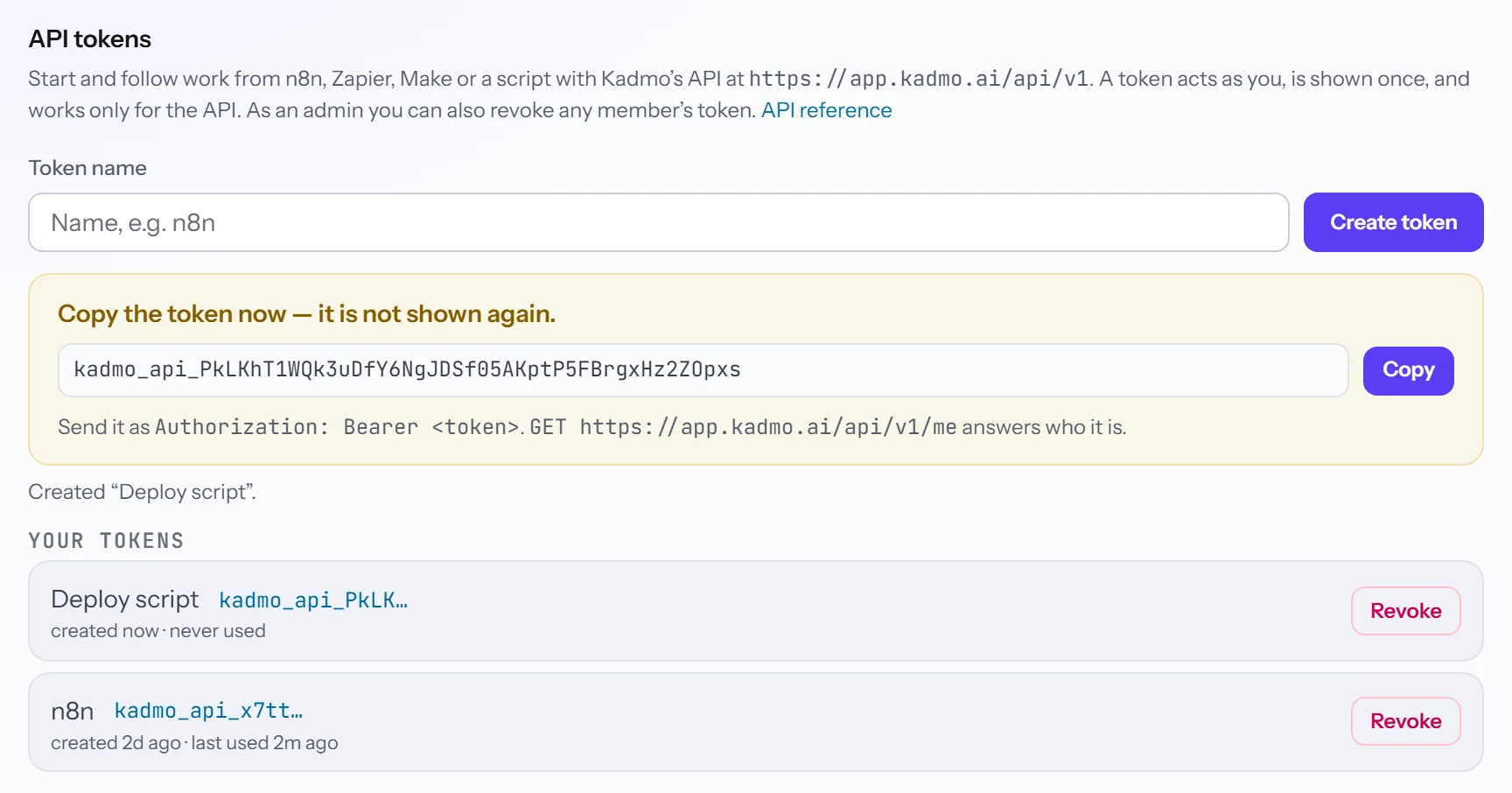
With a token, your code dispatches a workflow job and reads back its status, its open question and its result. It also files a task, in your tracker or in Kadmo, and runs a playbook on it.
Send an Idempotency-Key with a POST, and a retry within 24 hours starts nothing twice. A token makes up to 120 calls a minute and an account up to 600. The OpenAPI 3.1 contract needs no token, and the docs carry a reference and a Postman collection.
Get a webhook when the work is done
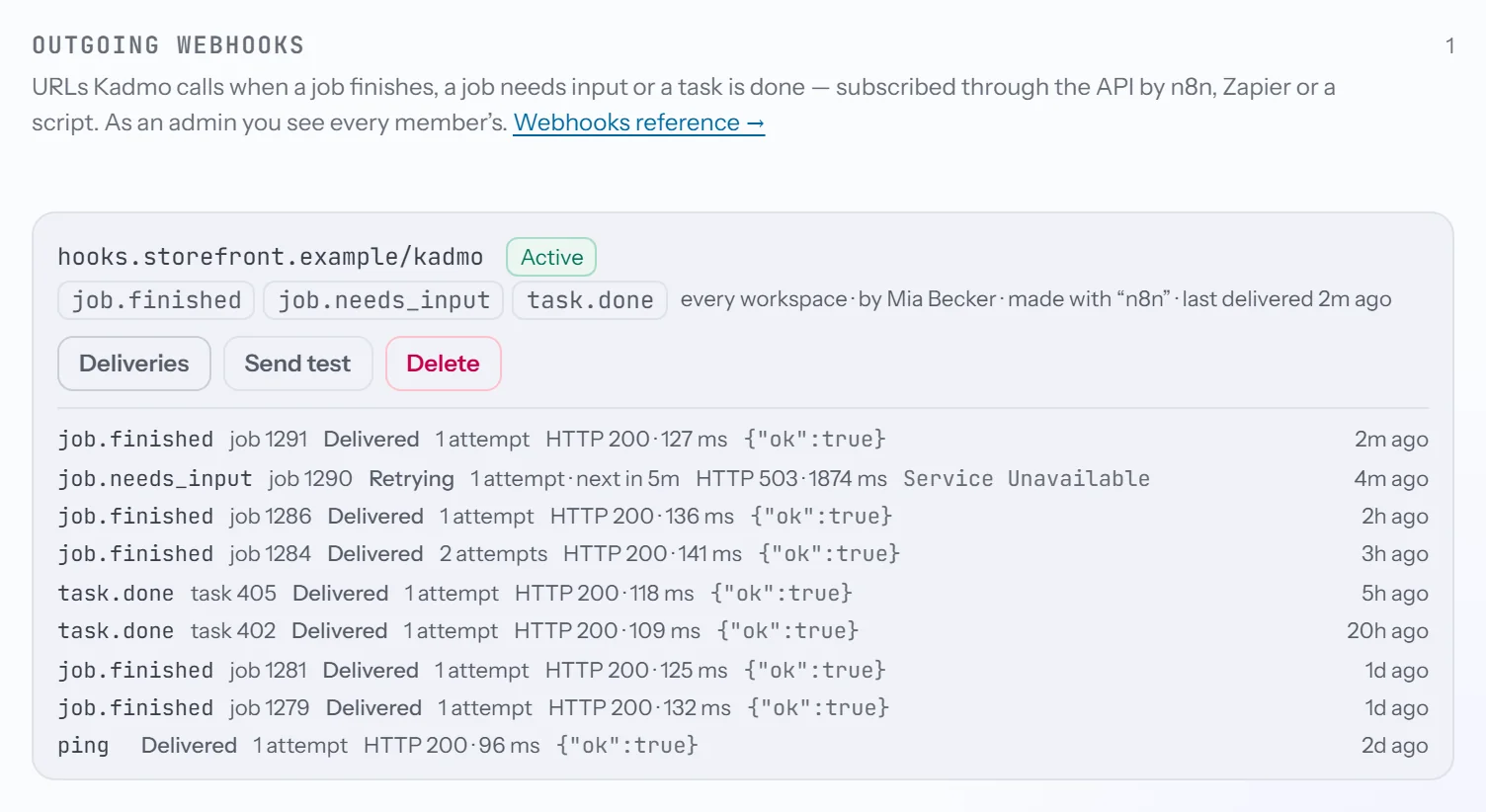
A webhook tells your code when a job finishes or needs you, so it does not have to keep asking. Subscribe an https endpoint through the API to job.finished, job.needs_input or task.done, for every workspace or for one. Every delivery is signed.
A failing endpoint is tried eight times over 24 hours. If nothing gets through, Kadmo disables the subscription and sends its owner one e-mail; Enable on the Integrations page turns it on again. The Outgoing webhooks section there lists each subscription’s deliveries and sends a test.
Self-hosted agents on ARM and Apple silicon
Kadmo’s agent image now holds an ARM build beside the one for Intel and AMD, under the same tag, and each machine pulls its own. That covers an ARM server, an ARM node in Kubernetes and a Mac with Apple silicon on Docker Desktop. The Docker command and the Kubernetes chart are unchanged.
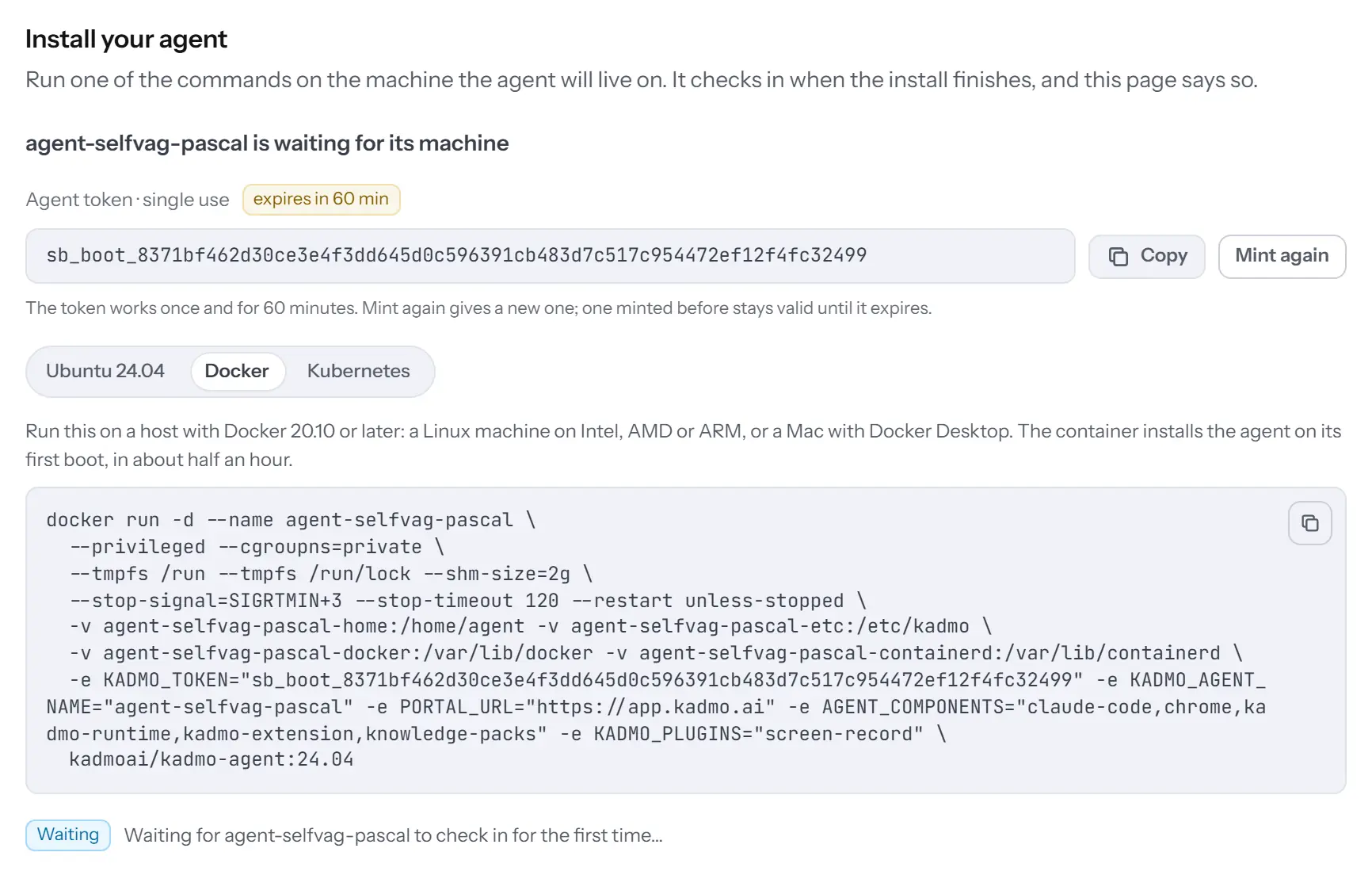
If the command stopped at the pull with no matching manifest for linux/arm64/v8, run it again with a new token from the Agents page.
Also in this release
Action needed
- Linear on a personal API key: choose Upgrade to the Linear app to delegate issues to Kadmo.
- Slack through an app of your own: it keeps working. Move your channels to Kadmo’s app for
help, direct messages and people linked by e-mail. - An ARM machine whose Docker command stopped at the pull: run the command again with a new token.
Improved
- The dispatcher that turns queued work into jobs restarts itself within a minute, and the Jobs page says when it is stopped.
- The Team page says whether an invite’s e-mail went out.
- No critical or high security advisory is left in Kadmo’s dependencies, and a new one now blocks a release.
- Kadmo refuses a skill zip that holds a symbolic link, an unsafe or repeated file name, more than 10,000 entries or more than 5 MB unpacked.
- Report a bug and Contact support now write to support@kadmo.ai.
- Kadmo’s Terms of Service and data processing agreement are on kadmo.ai, in English and German.